
Some links below are affiliate links. If you buy through them we may earn a commission at no extra cost to you. We only list tools we would use ourselves. How we make money.
Shoppers decide in about a second whether to tap a listing. Your photo is the whole decision. Good news: you no longer need a studio to make that second count.
The 10-minute workflow
- Shoot it plain: phone, daylight, product centred. Do not worry about the background.
- Cut it out: remove the background cleanly, keeping edges and labels sharp.
- Place it: generate a lifestyle scene that fits the buyer: bathroom shelf for skincare, desk for gadgets.
- Batch it: apply the same look across your whole catalogue so the store feels like one brand.
Fix the photo before you list it
A cluttered background, a stray cable or a photo too small for zoom costs you the click. A browser photo editor fixes these in minutes: swap the background, remove unwanted objects and enlarge a small image without starting again.
Turn photos into ads
Creator-style, handheld images often outperform polished studio shots in social ads because they look native to the feed. Start from our UGC brief: 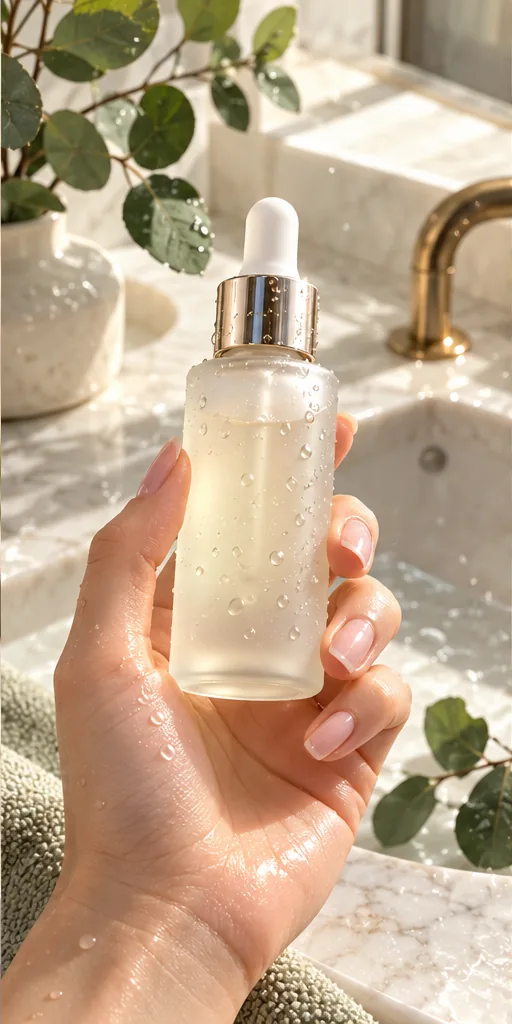 Scroll-Stopping UGC Ad prompt
A first-person UGC-style shot of a hand with a natural manicure holding an unbranded frosted glass serum bottle with a gold dropper, covered in fresh water droplets, above a marble bathroom sink with eucalyptus leaves, like a real customer filming their morning routine. · Commercial Studio Product Photography · Camera: Phone-camera POV at 26mm equivalent, f/1.8, product sharp in the center third, background gently blurred · Lighting: Morning window light as key from the side, white marble as natural bounce, crisp specular highlights on glass and droplets · authentic UGC ad aesthetic, premium but natural, dewy texture, clean label area for your own branding, social-first 4:5 crop, conversion-focused composition --ar 4:5 --no fake brand names, readable text, distorted fingers, extra fingers, harsh flash, cluttered counter, watermark, plastic-looking skinCustomise it in the free studio
The pre-listing checklist
- Product fills at least 70% of the frame in the main image.
- One clean white or neutral image for marketplaces that require it.
- Two lifestyle images showing the product in use.
- Label text is sharp and undistorted; check every AI edit for this.
- Same lighting direction and colour across all images.
All articles on this topic
- AI Product Photos on Etsy: What's Allowed Under the New Photo Rule (and a Workflow That Passes)
- Black Friday Video Ads With AI: Turn One Product Photo Into a UGC Ad in 29 Days
FAQ
How do I make product photos with AI?
Shoot the product plainly with your phone, remove the background, generate a lifestyle scene around it, then batch the same look across your catalogue.
Are AI product photos allowed on Etsy and Amazon?
Edited scenes are generally fine, but the product itself must look exactly like what the buyer receives. Check each marketplace's current image rules, especially the white-background main image on Amazon.
Can AI product photos look professional?
Yes, if the product stays untouched: keep labels sharp, match the lighting direction, and use the same style for every image in the listing.