Some links below are affiliate links. If you buy through them we may earn a commission at no extra cost to you. We only list tools we would use ourselves. How we make money.
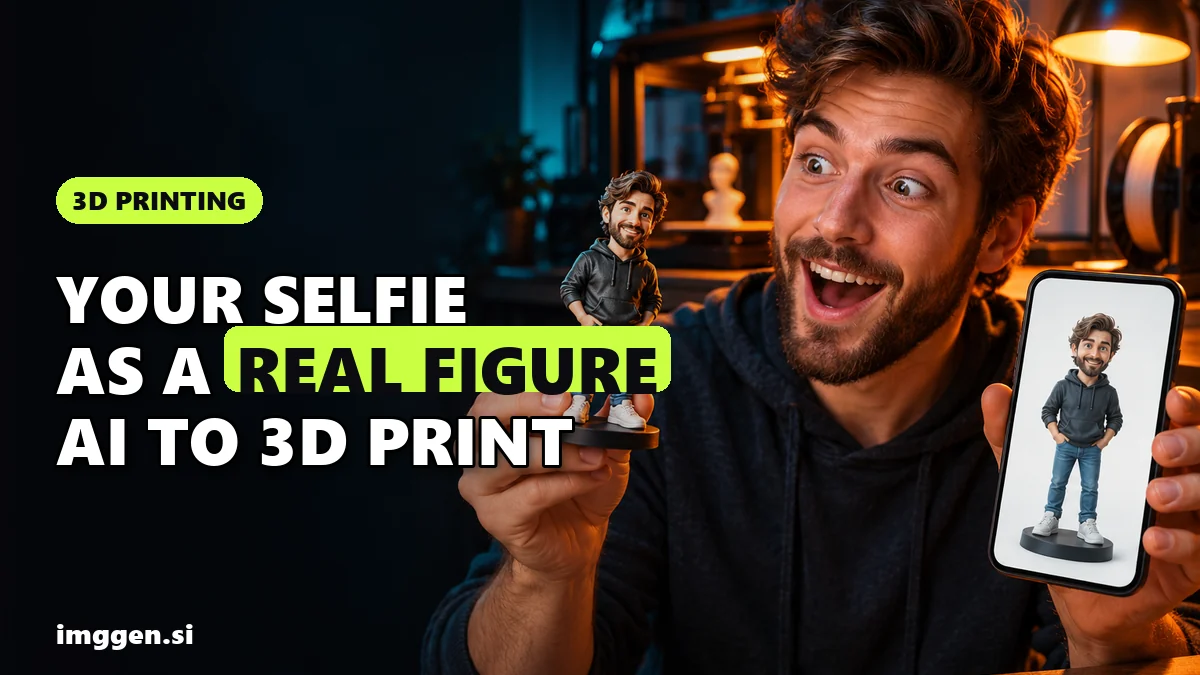
Yes, you can turn the viral AI action figure into a real 3D print you can hold. The route has four stages: generate a clean 2D figure image of yourself (or your pet, or your AI influencer), convert that image into a 3D model with an image-to-3D tool such as Tripo, export it as STL or 3MF, then print it at home or order the print from a service and paint it. You don't need to know Blender. You do need to check the model before you print it, because AI-generated meshes are not always print-ready the first time.
The trend started in spring 2025, when people asked ChatGPT to draw them as a boxed action figure with their favourite accessories. It was an image and nothing more. Since then makers have been printing these figures for real, sometimes putting an AI-generated head on a printable articulated body. This guide walks through every step, explains what the print will cost (and which choices drive that cost), and covers the likeness and IP rules that decide what you can make and sell.
What you need to turn a photo into a 3D-printed figure
- One good source photo. A sharp, evenly lit photo of the person or pet, ideally full body. A headshot works, but the AI then has to invent the body.
- An image generator to restyle the photo as a toy-like figure. Any modern image model will do. The figure image matters more than the photo, because it is what the 3D tool actually reads.
- An image-to-3D tool. This guide uses Tripo, which turns a single image or several views into a textured model and exports STL, OBJ and 3MF for printing.
- A slicer and a printer, or a print service. Bambu Studio, PrusaSlicer or Cura on your own machine, or an online print bureau that takes STL or 3MF uploads.
- Primer and acrylic paint if you print in a single colour and want the figure to look finished.
Step 1: Make a 2D action figure image that converts well to 3D
The viral blister-pack images look great on Instagram, but they are a poor input for 3D. The plastic packaging, the printed card and the accessories in side compartments all confuse an image-to-3D model, and it may try to turn the box into geometry. For printing you want the figure alone, standing on a simple base, against a plain background.
What a print-friendly figure image looks like
- Full body, front or three-quarter view, with arms slightly away from the torso so the AI can separate them.
- Chunky, toy-like proportions. A bigger head, thicker limbs and simple shapes print far better than a realistic adult figure with thin wrists and fingers.
- No thin, floating parts such as loose hair strands, cables, swords or straps held away from the body. These snap off or fail to print.
- A round display base. It gives the model a flat bottom and keeps it standing.
- Plain background, even studio light, so nothing behind the figure gets baked into the mesh.
Here is a ready-made brief for exactly this kind of image. It is written for a designer vinyl toy, so swap the fox astronaut for a description of you, your dog or your character, and keep the rest of the brief as it is:
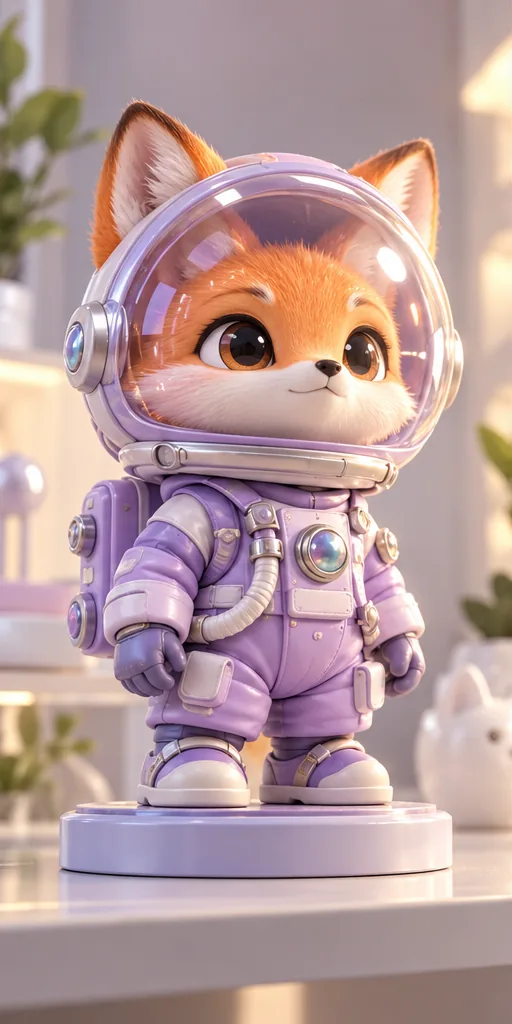 Collectible Vinyl Toy prompt
An original designer vinyl collectible, a chunky fox astronaut with big glossy eyes inside a clear bubble helmet, wearing a matte pastel lilac spacesuit with iridescent buttons, standing on a round display base on a clean shelf like a limited-edition art toy. · Commercial Studio Product Photography · Camera: 100mm macro at f/4, tabletop height, shallow depth of field so the shelf melts away · Lighting: Large softbox key from front-left, white bounce fill, pastel lilac rim highlights on the helmet · designer art toy, chibi proportions, smooth 3D-printable shapes, matte vinyl and glossy resin materials, clean display base, collectible shelf aesthetic, ready for image-to-3D and printing --ar 4:5 --no thin fragile parts, floating pieces, blister pack text, brand logos, copyrighted characters, watermark, dusty, cluttered backgroundCustomise it in the free studio
To use a selfie, upload it to an image model that supports reference photos and ask for "a designer collectible figure of the person in this photo, full body, standing on a round base, plain light grey background, no packaging, no text". If you'd rather try several image models side by side for the concept stage, ImagineArt puts FLUX, GPT Image, Nano Banana and others in one dashboard.
If the figure is an AI influencer you already run, use the same character reference you post with, so the figure matches the face your followers know. Higgsfield's Soul ID is built for that: you train a character from photos once and the same face carries across images. You can also build the image straight in our free prompt studio.
Step 2: Convert the image to a 3D model with Tripo
This is the step that used to need a 3D artist. Tripo's image-to-3D workflow has three parts, according to its feature page: upload and generate, optional enhancement, then preview and export.
- Upload the figure image in Tripo Studio. JPG and PNG work. If you have front, side and back views of the same figure, use multiview input: the extra angles give the AI less to guess about the back of the head and the costume.
- Generate and inspect. Turn the model around in the Solid view, not only the Textured view, because textures can hide lumpy geometry. Look at the face, hands and the back. Tripo offers free retries if you're not happy, so regenerate before you start fixing things.
- Clean the mesh with Smart Mesh. Smart Mesh rebuilds the topology at the polygon count you set (Tripo lists triangle meshes from 500 to 50,000 polygons and quad meshes from 500 to 25,000). For a printed figure you can keep a fairly high count, because detail matters more than file size here.
- Split parts if needed. Smart Segmentation separates a model into parts at three precision levels, and Tripo says it can fill the exposed faces where the parts were cut. That helps when you want to print the head and body separately, or print the base in a different colour.
- Export as 3MF or STL. 3MF stores units and scale, which saves you a rescaling step in most slicers. STL works everywhere. Tripo also advertises compatibility with Bambu Lab.
Our longer walkthrough of the same tool, written for game and animation characters, is in how to turn an image into a 3D character. If you want to compare other image-to-3D tools, the tool index lists them by use case.
Step 3: Check and prepare the model for printing
Tripo's marketing pages promise print-ready models. In practice, treat every AI mesh as a draft until your slicer has checked it. In a May 2026 comparison, All3DP found Tripo more accurate than Meshy and Hitem3D when going from an image to a printable 3MF, and highlighted its in-app tools for fixing and exporting files. That is a good result, but it still means "check and fix", not "skip the check".
Pre-print checklist
- Watertight mesh. Most slicers flag non-manifold edges or holes on import and offer a one-click repair. Run it. Tripo also lists an STL repair tool on its site.
- Scale. Decide the height first. Pick a size big enough that the face still reads, then check the model came in at that size. A wrong scale is the most common import surprise.
- Thin parts. Fingers, ears, glasses and accessories are the first things to break. Thicken them, merge them into the body, or delete them.
- Flat base. Make sure the bottom sits flat on the build plate. If the base is uneven, cut it flat in the slicer.
- Orientation and supports. Stand the figure upright and let the slicer add supports under the chin, arms and any overhangs. Tree supports are usually easier to remove from organic shapes.
FDM or resin?
| FDM (filament) | Resin (MSLA) | |
|---|---|---|
| Face detail at small sizes | Visible layer lines; better at larger scales | Much finer; suited to small figures |
| Colour | Multi-colour possible on printers with a filament changer | Usually one colour, painted afterwards |
| Post-processing | Remove supports, light sanding | Wash, UV cure, remove supports; gloves and ventilation needed |
| Strength | Tougher, less brittle | More brittle on thin parts |
No printer? Upload the STL or 3MF to an online print service and choose the material there. Resin or "high detail" options are worth it for a figure where the face is the whole point.
How much does an AI action figure 3D print cost?
There is no honest single number, because the cost depends on choices you make. Here is what actually drives it.
- The 3D model. Tripo's pricing page, checked on 23 October 2026, lists a Free plan with 200 monthly credits (about 13 models), with models public and for non-commercial use only. According to the same page, Pro costs $20 per month billed annually, with 3,000 monthly credits, private models and commercial use. Pro also unlocks multiview input and full Smart Mesh and Smart Segmentation access, which the Free plan only offers in limited form. Check the current price before you buy.
- Material by weight. Filament and resin are priced by weight or volume, so size changes cost fast: doubling the height of a figure means roughly eight times the volume. For a sense of scale, the designer of the printable Dummy 13 action figure says its parts weigh about 24 grams at 100% scale.
- Supports and failed prints. Supports use material too, and a first figure often needs a second attempt.
- Print service fees. A bureau charges for material, machine time, finishing and shipping. Get a quote for your exact file and size; quotes for the same file can differ a lot between services and materials.
- Paint and tools. Primer, a few acrylics and fine brushes are a one-off cost you reuse on every figure.
Want it to pose? Add your AI head to a printable articulated body
A sculpted statue figure is the easiest first project. If you want a figure that actually moves like a toy, a popular route is to print an existing articulated body and model only the head with AI. Dummy 13 is the best-known example: its designer describes it as a printable action figure "designed for super expressive articulation and infinite customization", released under a CC-BY licence, so you must credit the designer. The designer also warns that it is a challenging print and recommends against PLA for the frame parts.
The workflow: generate a head-and-shoulders figure image, convert it in Tripo, cut the head off in your slicer or in Tripo with segmentation, scale it to match the body, and add a socket or peg to fit the neck joint. Expect some trial and error on the fit.
Paint and finish your figure
- Clean up. Remove supports, sand the marks, and for resin, make sure the print is fully washed and cured.
- Prime. A thin spray of grey or white primer shows every flaw and helps paint stick.
- Base coats. Block in skin, hair and clothes with thinned acrylics. Several thin layers beat one thick one.
- Shade and highlight. A dark wash in the recesses and dry-brushing on the raised edges make a small figure readable from across the room.
- Eyes last, using your 2D figure image as the reference.
- Seal. A matte or satin varnish protects the paint from handling.
Then photograph the real figure next to the AI image you started with. That before-and-after is the post people stop scrolling for.
Can you print celebrities, characters or other people? Likeness and IP rules
The legal safe zone is narrow and easy to follow: print yourself, your own pets, your original characters, and people who have said yes. This is general information, not legal advice.
- No celebrities or franchise characters. Real people's likenesses and characters from films, games and comics belong to someone. Even a "fan" figure for your own shelf is risky to share online, and selling one invites takedowns.
- Get consent for other people. Making a figure of a friend from their photo is a gift if they agreed and something else if they didn't.
- Check your plan's licence. On Tripo's Free plan, models are public and for non-commercial use; commercial use comes with the paid plans, according to its pricing page.
- Platforms have AI rules. On MakerWorld, since 5 February 2026, model images must include at least one real photo of the printed object, according to Fabbaloo's report of Bambu Lab's rule update. Printables requires AI-generated models to be tagged, the same report notes. MyMiniFactory's store does not allow the sale of AI-generated models at all.
- Selling prints on Etsy. Since June 2025, Etsy's creativity standards say 3D-printed items must come from the seller's own design, not a third-party template, as TCT Magazine explains. A design you created from your own AI image may count as yours, but check Etsy's current wording before you list.
Reality check. Your first figure will probably not look like a store-bought collectible. Expect at least one regeneration in Tripo, one failed or rough print, and a few hours of cleanup and painting. AI meshes can still need repair, faces at small sizes lose detail on filament printers, and the free Tripo plan is for personal, non-commercial use. If you plan to sell custom figures, most beginners earn little or nothing at first; get a few good prints done before you think about pricing. Our guide to making money with 3D printing and AI covers that side.
The short version, for your first figure:
- Generate a full-body toy-style figure image on a plain background, without packaging.
- Upload it to Tripo, generate, check it in Solid view and regenerate if needed.
- Clean it with Smart Mesh, split parts if you want, and export as 3MF.
- Repair, scale and support it in your slicer, or send the file to a print service.
- Prime, paint, seal, and photograph it next to the original AI image.
Looking for more ways to use these skills? See AI side hustles for 2026.
FAQ
Can I turn a photo of myself into a 3D-printed action figure?
Yes. Restyle the photo as a full-body toy-like figure image, convert it to a 3D model with an image-to-3D tool such as Tripo, export STL or 3MF, then print it yourself or through a print service.
Is an AI-generated 3D model ready to print straight away?
Sometimes, but not reliably. Check every AI mesh in your slicer for holes, scale, thin parts and a flat base, and run the repair step before printing.
Should I use the blister-pack image from the trend?
No. Packaging, text and accessories confuse image-to-3D tools. Generate the figure alone on a plain background, standing on a simple base.
Which file format should I export for 3D printing?
3MF if your slicer supports it, because it keeps units and scale. STL works with every slicer and print service.
Can I sell 3D-printed AI figures of celebrities or movie characters?
No. Their likenesses and characters belong to someone else, and platforms remove such listings. Stick to yourself, your pets, original characters and people who have agreed, and check your tool's commercial licence.
Sources
- Tripo: Image to 3D model (features and export formats)
- Tripo: 3D printing solution page
- Tripo: Pricing and plan comparison
- All3DP: AI Image to Print-Ready 3MF, Tripo vs Meshy and Hitem3D (May 2026)
- MakerWorld: Dummy 13 version 1.0 by Lucky 13 Toys
- Fabbaloo: MakerWorld introduces new image requirement for AI-generated listings
- MyMiniFactory: Store FAQ (AI-generated models)
- TCT Magazine: From Templates to Originality, Etsy's new 3D printing policy
- Gazette: How to do the ChatGPT action figure trend