Some links below are affiliate links. If you buy through them we may earn a commission at no extra cost to you. We only list tools we would use ourselves. How we make money.
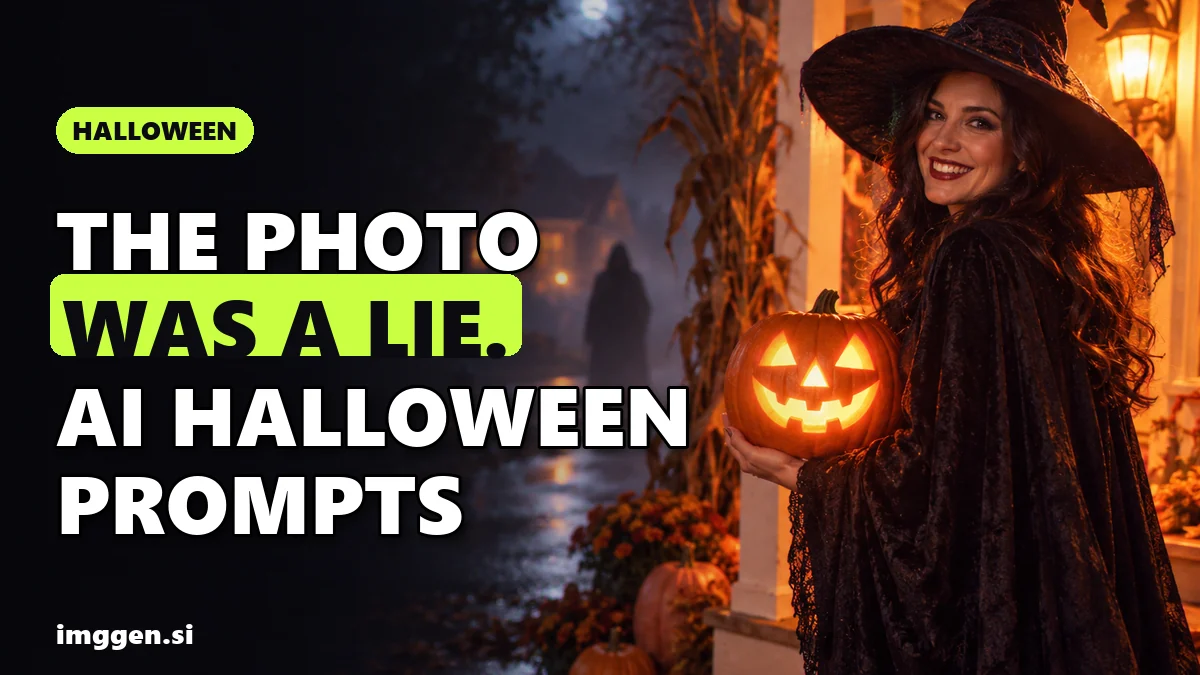
The AI Halloween photo trend everyone is posting this week is the "I'm so sorry" carousel: an AI-polished childhood Halloween photo that loses one fake detail per slide until the real, homemade costume appears. Mashable explained it on October 23, and Know Your Meme says the format, which started in August, surged in October, with Halloween costume versions among the most popular. Next to it, last year's Y2K "masked figure in the doorway" portrait is back as a staple of 2026 prompt guides, along with 90s VHS stills and costume reveal videos.
Below: what each trend is, where it was reported, copy-paste prompts, how to turn a still into a spooky clip, and how to keep your face looking like you.
What is the AI Halloween photo trend this year?
It is a handful of formats with one recipe: upload a real photo, let an AI image editor change the costume, scene or decade, and post a slideshow or short clip. These four are documented by more than a vendor's sales page:
| Trend | What you post | Who reported it |
|---|---|---|
| "I'm so sorry" (I lied) reveal | Photo carousel: AI glow-up first, real photo last | Mashable (Oct 23, 2026), Know Your Meme |
| Y2K masked figure in the doorway | One flash-photo portrait with a masked figure behind you | Know Your Meme (origin Sept 2025); 2026 guides from GoEnhance and BeautyPlus |
| 90s VHS Halloween still | Camcorder-style frame with an OCT 31 date stamp | GoEnhance's 2026 prompt guide |
| Costume reveal and transition videos | Short clip that switches from normal clothes to a costume | New Engen's 2026 TikTok and Reels roundup; BeautyPlus |
The nostalgic look is not random. In its Frightgeist release on October 14, Google said searches for "nostalgic halloween movies" have risen year over year since 2019, and that horror movie characters top this year's costume searches. A grainy 1996 porch photo hits both.
How do you do the "I'm so sorry, I lied" AI photo trend?
The format, per Mashable: people share an edited version of a baby picture, childhood snapshot or old Halloween costume, then strip away one change per slide until the real photo appears, captioned "I'm so sorry." In the Halloween versions, the reveal is usually a costume far more homemade than the opening image suggested. Mashable says the carousels are usually set to Harry Styles' "Coming Up Roses" or Prince's "Purple Rain." Know Your Meme traces one of the earliest examples to a TikTok posted on August 22, 2026, which passed 25 million views, and lists Halloween costume reveals from October 20 and 21 with more than 2 million views each.
The trick is that you build it backwards. Mashable's method, made concrete:
- Start with the real photo. This is your last slide. Pick one where the costume is genuinely funny: cardboard, a bedsheet, a parent's best effort.
- Make one change at a time and save every version. Each edit becomes a slide, so change a single thing per step: the costume, then the hair, then the background, then the lighting.
- Reverse the order. The most edited version goes first, the untouched original last.
- Write one confession per slide. "Sorry, the dress wasn't pink." "Sorry, there was no ballroom." Last slide: "I'm so sorry. I lied."
- Post as a TikTok photo carousel or a video slideshow, and add the audio.
The edit prompt that keeps the slides consistent is boring on purpose. Name the one thing that changes and lock everything else:
Edit this photo. Change only the costume: replace it with a floor-length pink princess gown with puffed sleeves and a small silver tiara. Keep the child's face, expression, pose, hair, the background and the lighting exactly as they are. Same camera angle, same framing.Run the next edit on that result ("Change only the background to a candlelit ballroom..."). If a tool re-renders the whole picture on every pass, the face drifts and the joke dies: the reveal only works if it is visibly the same kid.
For these single-detail swaps, a brush-based editor is easier than re-prompting the whole frame. Fotor's AI replace lets you brush over an area and describe what should go there, it has an object remover for cleaning up stray details, plus fonts and collage templates for the captions.
How do you make the 90s and Y2K masked-figure Halloween photo?
This one started last year. Know Your Meme dates the earliest known example to September 25, 2025: an Instagram post, made with Google Gemini, of a woman on the phone in a Y2K bedroom while a masked slasher stands in the doorway behind her. It spread on TikTok and Reels within days, usually set to a remix of Le Tigre's "Deceptacon." In 2026 it is back in the prompt guides: GoEnhance's October 20 guide says this year's favorites "lean nostalgic," naming 90s VHS home videos and Y2K flash photos with a masked figure in the background, and BeautyPlus's October 23 roundup lists a Y2K phone photo version.
Many people call it the Ghostface trend, after the Scream killer. Leave the name out of your prompt. Describe a generic figure instead: some image tools refuse or water down requests for named film characters, and a named film villain in your post is someone else's property. The scare comes from the contrast between a calm, ordinary snapshot and the still figure behind you, not from the brand.
Prompt 1: Y2K flash photo, figure in the doorway
Use my uploaded photo as the reference for my face. Keep my face shape, eyes, nose, skin tone and hairstyle the same. Create a late-1990s point-and-shoot flash photo: I sit cross-legged on a bed in a cluttered teenage bedroom at night, holding a see-through corded landline phone to my ear and glancing at the camera. Band posters, string lights, a small CRT TV glowing in the corner. In the dark doorway behind me stands a tall, motionless figure in a black hooded robe and a plain white mask with hollow black eyes, slightly out of focus. Harsh direct flash, deep shadows, visible film grain, warm color cast, slightly tilted framing, 4:5 vertical. Eerie, not gory. No text, no logos, no known movie characters.Prompt 2: 90s camcorder still on the porch
Use my uploaded photo as the reference for my face and keep it recognizable. Turn it into a still frame from a 1996 home video on Halloween night: I stand on a suburban front porch in a homemade costume [describe it: a bedsheet ghost with the face cut out / a cardboard robot], holding a plastic pumpkin bucket, lit by a harsh camcorder light. VHS look: soft focus, scan lines, slight color bleed, tracking noise along the bottom edge, 4:3 frame, orange date stamp reading OCT 31 1996 in the lower right corner. Carved jack-o'-lanterns on the steps, dark street behind. No other text, no logos.To look less "AI", ask for flaws (red-eye, motion blur, a thumb in the corner) and keep the pose plain. Paste either prompt into our free prompt studio to swap the costume, room or decade without rewriting the structure.
You need a model that edits from a reference photo and holds a face across several tries. ImagineArt puts reference-based image models such as Nano Banana Pro, GPT Image and its own ImagineArt 2.0 in one dashboard, says it can "lock a face" across a set, and has an inpaint brush to fix a hand or a doorway without re-rolling the whole picture.
Can an AI Halloween costume generator preview your costume before you buy it?
Yes, as long as you treat it as a sketch rather than a fitting. Google says this year's top costume searches mix horror movie characters, TV and movie favorites, country legends and "out-of-the-box" ideas like stress balls. If you are stuck between three ideas, generating each one on your own photo is a cheap way to decide, and the result doubles as a post.
Use my uploaded full-body photo. Keep my face, body shape, height and hairstyle exactly the same. Dress me in [costume: a homemade scarecrow costume with a frayed straw hat, patched flannel shirt, rope belt and painted stitches on the cheeks]. Standing in a plain hallway, front view, even soft daylight, 9:16 vertical. Show realistic fabric, seams and how the costume would actually fit a real person. Then show the same outfit from the side.Describe the look, not a franchise: "a pale woman with a sharp black bob, a black collared dress and white socks" works where a character name may be refused. And remember AI happily invents fabric that does not exist, so a preview is a mood board, not a shopping list.
How do you turn an AI Halloween photo into a spooky video or transition?
Costume reveals are where the views are on video. New Engen's 2026 roundup of TikTok and Reels Halloween trends lists the Ramalama (Bang Bang) reveal as back this year: a low-angle shot of your feet strutting toward the camera before the full costume appears as the music builds. BeautyPlus's roundup describes a ceiling fan transition, where each pass of the fan blade swaps the same person into a new look, such as a fairy, witch or vampire. Both are usually filmed for real; AI lets you fake the costume part from photos.
Method 1: first and last frame
- Take a photo of yourself in everyday clothes, framed exactly how the clip should end.
- Generate the costume version with the same framing, pose and room (the costume prompt above works).
- Load the everyday photo as the first frame and the costume photo as the last frame in an image-to-video model, then describe only the motion between them.
Fixed camera looking slightly up at the person standing under a spinning ceiling fan in a dim bedroom. As one fan blade sweeps across the lens, the outfit changes in a single smooth wipe from everyday clothes to the costume. Same pose, same room, same face. Flickering warm lamp light, 9:16, 5 seconds, no text.Method 2: animate a single still
For the masked-figure portrait, subtle motion is creepier than a jump scare: the figure takes one slow step forward while you keep talking on the phone, and the camera stays still. Keep clips short; the longer the shot, the more the face can warp.
Higgsfield fits this step. Its video page offers first and last frame references to lock the start and end of a clip, motion control from a reference video, and Kling, Veo, Seedance and Wan models in one workspace. Its Effects library applies one-click video effects (Melting and Vanish are two) to a photo you upload. Higgsfield lists a discount of up to 50% for visitors who arrive through our link; check the current terms on the page.
How do you keep your face looking like you in AI Halloween photos?
- Start with a good reference. Front-facing, sharp, even light, nothing covering your eyes, one person in the frame.
- Say what must not change, first. Open every prompt with "keep my face shape, eyes, nose, skin tone and hairstyle the same," then describe the scene.
- Change one thing per pass. Costume first, then the room, then the film look. Big all-at-once rewrites drift most.
- Edit, don't regenerate. If only the hands or the doorway are wrong, fix that area with an inpaint or replace brush instead of rolling a new image.
- Expect several tries. Generate three or four and keep the one where friends would recognise you instantly.
Reality check. Nobody publishes real-time numbers for these trends, so "viral" here means multi-million-view examples logged by Know Your Meme and coverage from Mashable, no promise that your post will travel. The masked-figure look is a 2025 trend having a second season, so it is familiar, and the bar for standing out is higher. Faces drift, hands go strange and VHS date stamps come out garbled more often than the prompt guides admit. And Halloween trends die on November 1.
Is it okay to post AI Halloween photos? Label them, and don't fake other people
These jokes only land because they admit the edit. Keep it that way:
- Label realistic AI images. TikTok's community guidelines require clear labeling when AI or editing is used to realistically depict people or scenes. Turn on the AI-generated label when you post, and the "I lied" slide does the rest.
- Only use your own face, or faces you have permission for. Putting a friend, an ex or a stranger into a horror scene without asking is the opposite of the joke.
- Think twice about children's photos. Mashable notes that commenters are asking why people upload childhood pictures into public AI tools, that some services keep or train on uploads depending on settings, and that UNICEF has warned real photos of children are being altered into explicit deepfakes. If the photo is of you as a kid, that is your call. Don't upload someone else's child, and check whether the app trains on uploads.
Want a recurring character after Halloween? See our guide to making money with an AI influencer, or compare tools in the directory.
FAQ
What is the AI Halloween photo trend?
Uploading a real photo to an AI image editor to change the costume, scene or decade. This week's big one is the "I'm so sorry" carousel, which reveals an AI-polished Halloween photo was fake one slide at a time.
How do you do the "I'm so sorry" AI photo trend?
Start with the real photo, make one AI edit at a time and save each version, then post them in reverse order with a confession per slide and "I'm so sorry" on the last.
What prompt makes the 90s Halloween AI photo?
Ask the model to keep your face, then describe a 1996 camcorder still on a porch: homemade costume, harsh light, scan lines, 4:3 frame and an orange OCT 31 1996 date stamp.
Can I use Ghostface in an AI prompt?
Better not. Describe a generic figure in a black hooded robe and plain white mask instead. Some tools refuse named film characters, and the character belongs to the film's owners.
Do I have to label AI Halloween photos?
On TikTok, yes for realistic edits: its guidelines require clear labeling when AI or editing realistically depicts people or scenes. Labeling is good practice everywhere.
Sources
- Mashable: What is TikTok's 'I'm so sorry' trend? The AI photo reveals, explained (Oct 23, 2026)
- Know Your Meme: "I'm So Sorry" TikTok Trend
- Know Your Meme: AI Ghostface Trend
- GoEnhance: AI Halloween Trend 2026, Gemini Halloween Photo Prompts (Oct 20, 2026)
- BeautyPlus: AI Halloween Trend 2026, 10 Halloween Ideas to Try (Oct 23, 2026)
- New Engen: Halloween TikTok & Instagram Reels Trends 2026 (Oct 14, 2026)
- Google: Frightgeist Halloween trends 2026 (Oct 14, 2026)
- TikTok Community Guidelines: Integrity and authenticity (edited media and AI-generated content)
- Higgsfield: AI video generator (first and last frame, models)
- Higgsfield: Visual Effects library
- ImagineArt: image, video and audio workspace
- Fotor: online photo editor with AI replace and object remover