Some links below are affiliate links. If you buy through them we may earn a commission at no extra cost to you. We only list tools we would use ourselves. How we make money.
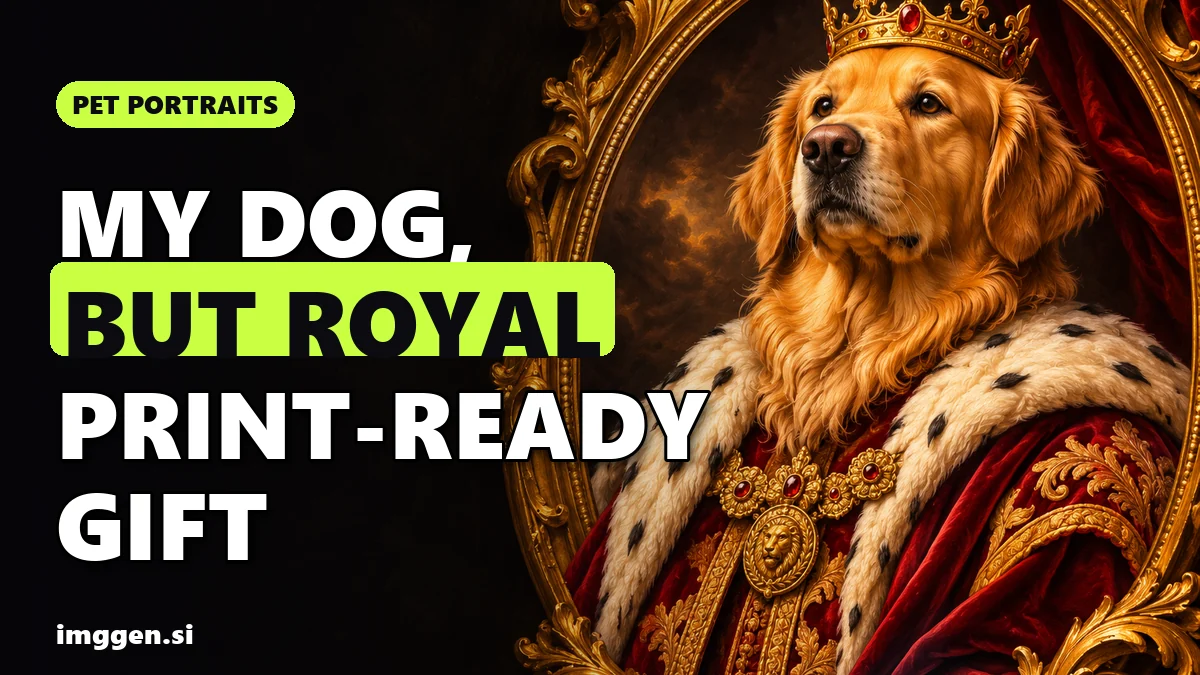
An AI pet portrait good enough to give takes three things: a sharp phone photo of your own dog or cat, an AI editor that changes the outfit and background but keeps your pet's face, and an upscale before you print. Upload the real photo, paste one of the style prompts below, compare the result with your pet, then upscale the file to the size your print shop needs. Done that way, a royal or renaissance pet portrait looks like your animal and not just any golden retriever.
This guide covers which photo to use, six copy-paste prompts (royal, renaissance oil, Christmas sweater by the fireplace, Santa hat card, watercolour and pop art), how to keep markings accurate, the pixel sizes for common print formats, and a short section for anyone who wants to sell custom pet portrait gifts. Tool details come from each company's own pages, read on 3 November 2026; this is research, not a hands-on test.
Why does an AI pet portrait need a real photo, not just a text prompt?
Type "renaissance portrait of a black and white cat" into any AI pet portrait generator and you get a beautiful cat. It just isn't yours. Text alone can't describe the off-centre blaze on a nose, a torn ear or the exact way the white socks stop. People who know the animal notice straight away, and a gift that looks like a stranger's pet misses the point.
The fix is to edit your photo, not generate from scratch. You upload the photo, describe the new costume and setting, and say what must stay the same. ImagineArt's AI Image Editor is built for this: you drop in a JPG, PNG or WEBP up to 30MB and describe the change in plain words. Its own advice is to "say what must stay the same", for example "keep her face and pose unchanged". For a pet portrait, that sentence is what keeps your pet recognisable.
The same idea runs through our consistent character guide: the more the model can see, the less it has to invent.
Which pet photo works best for an AI portrait?
The AI can add a crown and a velvet robe. It can't recover detail that isn't in the photo.
- Eye level. Get down to your pet's height. Portraits shot from above make heads look big and bodies small, and the AI keeps that angle when it adds the costume.
- Soft, even light. Near a window, out of direct sun, or outside on an overcast day. Hard shadows across the face get read as markings.
- The whole head in frame, ears included. If an ear is cut off, the AI has to guess its shape and colour. Leave some space around the head and shoulders for the costume.
- Sharp eyes. Tap to focus on the eyes. A slightly blurred nose is fine; blurred eyes make the whole portrait look off.
- Original file, not a screenshot. ImagineArt's editor page warns that "very small or heavily compressed photos give the AI less detail to work with". Photos saved from social media or a messaging app are usually compressed.
- Calm and simple. A sitting or lying pose with a plain background works best.
6 copy-paste prompts for royal, renaissance and Christmas pet portraits
Each prompt is written as an edit of your uploaded photo. Replace the bracketed parts, run it two or three times and keep the version that looks most like your pet. Each one starts with the same protection sentence. Don't drop it, because it's what keeps the markings in place.
1. Royal pet portrait (the classic)
Keep my [dog/cat]'s face, fur colour, markings, eye colour and ear shape exactly as in the photo. Turn this into a royal portrait: my pet wears a red velvet cape with a white ermine collar and a small gold crown, seated on a carved throne, dark green background, warm museum lighting, classical oil painting style, vertical 4:5 composition with space above the crown.The 4:5 ratio matches 8x10 and 16x20 prints, so you crop less later.
2. Renaissance oil painting
Keep my [dog/cat]'s face, markings and expression unchanged. Repaint the image as a Renaissance oil portrait: dark umber background, soft light from the upper left, visible brush texture and fine craquelure, my pet dressed as a [duke/duchess] with a lace ruff collar and a brocade jacket, three-quarter view, vertical 4:5."Craquelure" (the fine cracks in old paint) and a single light source are what make a renaissance pet portrait look painted rather than filtered.
3. Christmas sweater by the fireplace
Keep my [dog/cat]'s face, fur and markings exactly as they are. Put my pet in a red and white knitted Christmas sweater, lying on a rug in front of a stone fireplace with stockings and a decorated tree softly out of focus behind, warm firelight on the fur, cosy photographic style, horizontal 5:7.4. Santa hat holiday card
Keep my [dog/cat] exactly as in the photo, including face, markings and pose. Add a red Santa hat that fits the head naturally, with the ears visible around it. Replace the background with soft falling snow and warm bokeh lights. Leave clear empty space on the [left/top] for a greeting. Photographic style, vertical 5:7.If the card also includes your family, our AI Christmas family photo card guide covers keeping human faces unchanged and print-ready card sizes. For a pet inside a glass globe, try the prompts in our snow globe guide.
5. Watercolour portrait
Keep my [dog/cat]'s face shape, markings and eye colour unchanged. Turn the photo into a loose watercolour portrait on textured white paper: soft wet edges, a few paint splashes in [sage green and dusty blue], the fur colours accurate to the photo, the body fading into white paper at the bottom. Square 1:1.6. Pop art
Keep my [dog/cat]'s face and markings recognisable. Make a bold pop art portrait: flat bright colour background in [hot pink/turquoise], thick black outlines, halftone dot shading, high contrast, head and shoulders centred, square 1:1.Pop art changes the fur colours on purpose, so pick another style if the exact coat matters.
Want to adjust a prompt before you spend credits? Paste it into our free prompt studio and change the style, light and ratio there.
How do you keep your pet recognisable?
Image editors change things you didn't ask for, and pets are hard: a dog's white chest patch can grow, a tabby's stripes can rearrange, a blue eye can turn brown. So check every result before you print.
- Compare side by side. Put the original photo next to the result and check eyes, nose colour, ear shape and every marking.
- Fix one thing per run. If the face is right but a marking moved, run a short follow-up edit: "Keep everything unchanged except restore the white patch on the left side of the muzzle as in the original photo." ImagineArt's editor page also suggests refining the prompt and running it again when the first result is close.
- Lower the drama for strong markings. Heavy costumes and dramatic light hide more of the coat. A merle collie or a calico cat often looks more like itself in the watercolour or Santa hat versions.
Reality check. Every AI editor can change markings, eye colour or face shape, and none of them reads your mind. Expect to run each style a few times and to throw most results away. If a photo keeps failing, try a better photo before a cleverer prompt. And a file that looks perfect on a phone can still print soft, so upscale anything bigger than a small card.
What resolution do you need to print an AI pet portrait?
Pixels needed = print size in inches × pixels per inch (ppi). Around 300 ppi is the common target for small prints you look at up close; canvas shops often accept less because canvas is viewed from further away. The numbers below are that arithmetic, not any one shop's rule:
| Print size | At 300 ppi | At 150 ppi | Typical use |
|---|---|---|---|
| 5 x 7 in | 1500 x 2100 px | 750 x 1050 px | Holiday card, small frame |
| 8 x 10 in | 2400 x 3000 px | 1200 x 1500 px | Desk frame, small canvas |
| 11 x 14 in | 3300 x 4200 px | 1650 x 2100 px | Framed print |
| 16 x 20 in | 4800 x 6000 px | 2400 x 3000 px | Wall canvas |
Real shops set their own numbers. CanvasPop, for example, recommends at least 1800 x 2400 pixels at 150 DPI for its 8x10 and 12x16 canvases and 3600 x 5400 pixels for 24x36 and larger. Shutterfly doesn't publish a pixel or DPI target; instead it shows a low-resolution warning when an image "may not meet the minimum size requirements for quality printing", and notes that cropping reduces resolution. Always check your print shop's file guidelines, and never ignore its warning.
This is the catch with AI files: many editors export much smaller than a 16x20 needs. ImagineArt's plan table, for example, lists output "up to 720p" on the free plan and "up to 4K" on paid plans. A 720p file is fine for a phone screen, not for a canvas.
Upscaling for print with Magnific
Magnific (the AI suite formerly called Freepik) is known for its upscaler, and its documentation describes two modes that matter for pet portraits:
- Precision "increases resolution while preserving the original content, texture, and structure of the image" and, per the docs, works "without inventing new elements". Use this one for the face, because you've just spent time getting the markings right.
- Creative "adds or infers new detail guided by your prompt", with 2x, 4x, 8x and 16x options. It can make brush strokes and velvet look richer, but it can also invent fur detail. Use a low setting, then compare the face with your pet again.
Magnific's docs recommend starting with moderate factors (2x to 4x) to avoid amplifying noise, and warn that resizing the image before upload causes quality loss. Example: a 1200 x 1500 export upscaled 2x gives 2400 x 3000, enough for an 8x10 at 300 ppi or a 16x20 at 150 ppi.
Order matters: edit → check the markings → crop to the print ratio → upscale → upload to the print shop. If you crop after upscaling, you throw away the pixels you just paid for.
When should you order a Christmas pet portrait?
There are two deadlines: the print shop has to make and ship the item, and if you're posting it on to someone, the mail has to get it there. Print shops set their own holiday cut-offs, and they can differ by product and shipping speed, so check your print shop's holiday cut-off on its own site before you start, and plan backwards from it.
For the mailing part, USPS lists its 2026 recommended send-by dates for delivery before 25 December within the contiguous U.S.: Thursday 17 December for Ground Advantage and First-Class Mail, Friday 18 December for Priority Mail and Saturday 19 December for Priority Mail Express. USPS notes that actual delivery can vary. The relaxed plan is to finish the image in November, so a re-roll or a reprint doesn't push you past either date.
Can you sell AI pet portraits?
Custom pet portrait gifts are a real product category, and AI makes the artwork faster. But most of the job is customer service: chasing a usable photo, revisions until the markings match, and print quality. If you try it:
- Only use photos the customer sends you of their own pet, and ask for the original file, not a screenshot.
- Etsy's photo rule applies. Etsy now requires at least one unedited photo for most physical items. For customised or made-to-order items you make yourself, its Help Center says to "use photos of real, finished items you've made in the past", so print and photograph a few real samples first. Etsy also says sellers "must still disclose when an item is created using AI" and can't present AI work as handmade. Our AI product photos on Etsy guide covers the full rule and how to shoot the unedited photo.
- Promise likeness, not perfection. Offer a proof the customer approves before anything is printed.
Be realistic about income: most beginners earn little or nothing at first, and holiday demand is seasonal. Our AI side hustles guide compares this with other image-based side projects.
Which AI pet portrait generator should you use?
Any tool that edits an uploaded photo from a text instruction can do this; a text-only generator can't keep your pet's likeness. Here's a simple setup:
| Step | What you need | Option |
|---|---|---|
| Style the photo | Image editing with "keep unchanged" instructions | ImagineArt AI Image Editor |
| Enlarge for print | Faithful upscaling that doesn't redraw the face | Magnific Precision upscaler |
| A shop whose file specs you've checked | Your local lab or online print shop |
Prices and plan limits change, so check the current price on each site before you pay. Magnific's plan credits last a full year rather than resetting monthly, and our link gives 20% off its Premium and Premium+ plans. To compare more tools, browse our AI tool directory.
FAQ
Can AI make a portrait of my own pet?
Yes, if you upload a real photo and use an image editor that keeps the face and markings unchanged. A text-only prompt gives you a generic animal, not your pet.
What photo works best for an AI pet portrait?
A sharp original photo taken at your pet's eye level in soft light, with the whole head and both ears in frame and the eyes in focus. Avoid screenshots and compressed social media copies.
Why did the AI change my dog's markings?
Image editors redraw parts of the image and can move or resize patches, stripes and eye colour. Say in the prompt what must stay the same, compare the result with the real photo, and run a small follow-up edit to fix one detail at a time.
What resolution do I need to print a pet portrait?
Multiply the print size in inches by the pixels per inch: an 8x10 at 300 ppi needs 2400 x 3000 pixels. Canvas shops often accept around 150 ppi. Your print shop's own guidelines and warnings take priority.
Can I sell AI pet portraits on Etsy?
Etsy allows AI-generated art with disclosure, but most physical listings need at least one unedited photo, and for made-to-order items Etsy says to show real finished pieces you've made before.
Sources
- ImagineArt: AI Image Editor
- Magnific docs: Image Upscaler Precision
- Magnific docs: Image Upscaler Creative
- CanvasPop: Best resolution to print on canvas
- Shutterfly Support: Maximizing photo resolution
- USPS: 2026 holiday shipping dates
- Etsy Help: How do Etsy's listing image requirements apply to my listings