Some links below are affiliate links. If you buy through them we may earn a commission at no extra cost to you. We only list tools we would use ourselves. How we make money.
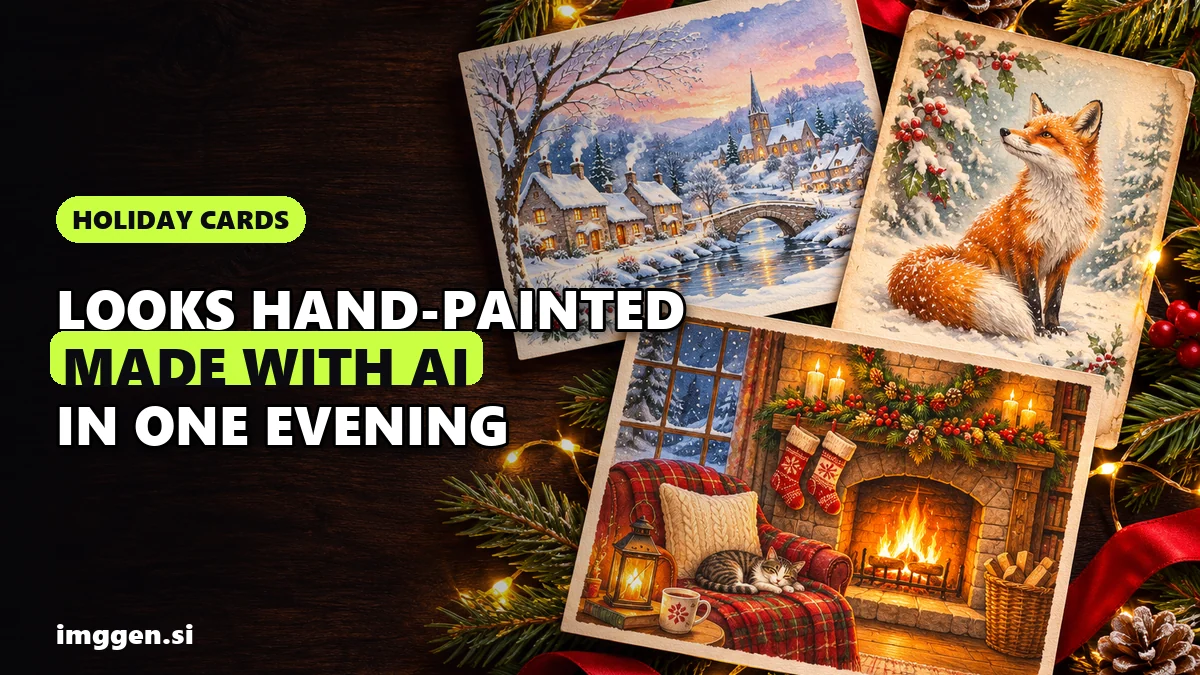
An AI Christmas card generator can give you a card that looks like a hand-painted illustration or a styled studio shot, made at the kitchen table in one evening. The trick is three steps: generate the art with no words in it, add the greeting in a design editor, then size and upscale the file for print. Most disappointing AI cards fail at one of those: garbled lettering, a six-fingered hand, or a file that looks lovely on a phone and prints soft.
Below: a style picker, 10 copy-paste prompts, a check for the classic AI tells, and 5x7 and A6 print sizes. This guide covers illustrated cards; for a realistic photo of your family, see our AI Christmas family photo guide. Tool details come from company pages and docs read on 8 November 2026: research, not a hands-on test.
How does an AI Christmas card generator work?
Behind the friendly name, an AI holiday card generator is a text-to-image model plus a layout step:
- Pick one style; mixing two in one prompt muddies both.
- Generate the art with empty space for the greeting and "no text" in the prompt.
- Lay out the words in a design editor, where you control spelling and font.
- Size, upscale and check for print, or export for phones.
For step 2, ImagineArt's AI image generator lets you enter a prompt, pick the aspect ratio, model, style and quality, then generate and download. It lists "100+ Artistic Styles", including watercolor, and models such as Nano Banana Pro, Midjourney V7 and Flux.2 Pro to compare. Its editor page lists free downloads as "Up to 720p" and "Personal use only", and paid plans as "Up to 4K" and "Full commercial use". Test on the free tier; check the current price before a big batch.
If your tool has no 5:7 ratio, pick 3:4 or 2:3 and keep key details away from the edges so you can crop later.
Which Christmas card style should you choose?
Style sets the mood and how visible AI mistakes are: painterly styles hide small glitches, crisp ones expose them.
| Style | Feels like | Why it suits AI | Prompt words |
|---|---|---|---|
| Watercolour | A hand-painted craft-fair card | Soft edges hide small errors | loose watercolour, cold-press paper, white paper showing |
| Vintage postcard | A 1950s card found in a drawer | Animals and landscapes work well; faded colour looks intentional | vintage 1950s postcard, gouache, print grain |
| Storybook illustration | A children's book page | Small figures carry the mood without close-up faces | children's storybook illustration, gouache, lamplight |
| Cozy photo | A studio still life | No people, so no faces or hands to go wrong | styled still-life photo, fairy-light bokeh |
| Funny family cartoon | A comic strip of your Christmas | Odd proportions read as style | playful cartoon, bold outlines, flat colours |
10 copy-paste Christmas card prompts
Each prompt leaves space for the greeting and ends with "no text". Swap the [bracketed] parts, run each three or four times and keep the best. Prompts 1 and 2 make an AI family Christmas card without anyone's real face. To tweak light or style first, use our free prompt studio.
1. Family: storybook fireplace
Children's storybook illustration of a cosy living room on Christmas Eve, a family of [four] seen from behind on a rug before a crackling fireplace, stockings, a small decorated tree, a [ginger cat] asleep, warm lamplight, gouache and coloured pencil. Portrait, plain empty wall in the top third. No text, no letters.2. Family: watercolour winter village
Loose watercolour of a snowy hillside village at dusk, small distant figures of a family pulling a sled with a Christmas tree, glowing windows, soft snowfall, cold-press paper with white edges. Portrait, pale empty sky in the top third. No text, no letters.3. Everyone on the list: vintage postcard fox
Vintage 1950s Christmas postcard illustration of a red fox sitting in deep snow under a pine tied with one red ribbon, birch forest behind, muted reds and greens, gouache, fine print grain, cream border. Portrait, empty snow at the bottom. No text, no stamps, no postmarks.Fake postage brings fake writing, hence the last line.
4. Couple: skating under string lights
Gouache illustration of a couple ice skating arm in arm on a frozen pond at night, seen from behind, in knitted mittens and long scarves, string lights between bare trees, gentle snowfall, deep blue and gold. Portrait, open night sky in the top third. No text, no letters.5. Pet: your own dog or cat
Edit a real photo; a text-only prompt gives you a stranger's dog. ImagineArt's AI Image Editor accepts JPG, PNG or WEBP up to 30MB:
Keep my [dog]'s face, fur colour and markings exactly as in the photo. Turn it into a children's storybook illustration: my [dog] in a knitted red scarf, sitting in snow beside a glowing lantern, soft gouache, warm light. Portrait, empty sky above. No text.More styles are in our AI pet portrait prompts.
6. Funny family card
Playful cartoon of Christmas morning chaos: a toppled tree, a guilty [cat] tangled in fairy lights, wrapping paper everywhere, a family of [four] in matching reindeer sweaters looking shocked, bold outlines, flat bright colours. Portrait, empty band across the top. No text, no speech bubbles.Funny AI holiday cards live on the caption, so write it yourself: "We tried. The cat didn't."
7. Office or team card
Paper-cut craft illustration of a cosy office at Christmas: desks with closed laptops, mugs of cocoa, a small potted tree with paper ornaments, snow outside a big window, layered paper, red, green and kraft brown. Landscape, empty wall on the right. No text, no logos, no screens with writing.8. Minimalist card
Minimalist Christmas artwork: one small pine tree drawn as a single continuous fine line in dark green, a tiny gold star on top, plain warm-white background, generous empty space. Portrait, flat and elegant. No text, no border.9. Nativity, in a respectful style
Reverent nativity scene in soft gouache inspired by traditional Christmas art: a simple wooden stable at night, Mary and Joseph kneeling beside the infant Jesus in a manger, an ox and a donkey, one bright star above, candle-like light, muted blues and golds, calm and dignified, small figures with gently painted faces. Portrait, starry sky in the top third. No text.Check this one with extra care. If any figure looks odd or comical, regenerate.
10. Corporate or client card
Elegant flat vector illustration of a snowy city skyline at dusk, simple geometric buildings with warm lit windows, palette of [navy, silver and one brand accent], clean empty space across the bottom third. Landscape, modern and calm. No text, no logos.Add your real logo in the layout step (AI logos come out as near-misses), and make sure your plan covers commercial use.
How do you avoid the classic AI tells: hands, faces and garbled text?
People forgive an odd snowflake. They notice a six-fingered hand or "Merry Chirstmas" at once.
- Text. Ask for none, then scan anyway: signs, books, stamps and screens attract fake lettering. OpenAI's own image guide says its model "can still struggle with precise text placement and clarity". Some models are marketed for clean in-image text, but typing the greeting yourself gives you exact spelling, your own font and control over placement.
- Hands. Hide them: mittens, pockets, figures seen from behind or far away. Zoom to 100% and count fingers on every visible hand.
- Faces. Small figures and back views avoid most problems. To show your real family, restyle your own photo: ImagineArt's editor page says it can turn a photo into "a cartoon, anime frame, oil painting or 3D render while keeping the original pose". Check every face at 100%.
- Animals and objects. Count legs on foxes and reindeer; look for ornaments melting into branches.
To fix one flaw, edit and protect the rest. ImagineArt advises saying what must stay the same and "Make one change per prompt": Keep everything unchanged except the father's left hand: put it in a red knitted mitten.
Reality check. AI image models still get hands, faces and spelled words wrong, so expect to throw most generations away. Check every face and hand at full zoom before you print 50 copies. Get consent before uploading anyone else's photo to an AI tool, including relatives' children and colleagues. Screen colours are not print colours: check your print service's colour proof or order one test card first. Credit-based tools charge per attempt, so check the current price. For an exact likeness, an illustrator or photographer is still the safer choice.
How do you add the greeting text cleanly?
Put the art into a design editor and set the words as real type. Simplified's card maker describes four steps: in the AI Design App, click "Explore Templates", search for "card", choose a template, then edit and download. To start blank at an exact print size, its academy shows a "custom sized" button for your own dimensions.
- Your art, your fonts: import images and custom fonts, and keep logos and colours in Brand Kits for company cards.
- Text effects such as drop shadows keep a greeting readable over a busy sky.
- Exports as PNG, JPG, GIF and MP4: one design, print file and animated e-card.
- AI in the editor: the card maker page names Text-to-Image and Generative Fill.
Simplified says it offers a Free Forever plan; check what it includes today.
Typography rules: two fonts at most; text in the space you asked the AI to leave; every word inside the safe area; names read out loud before ordering. Your typos print as clearly as the AI's.
What size and resolution does a printed Christmas card need?
Work at 300 DPI at the final size: inches × 300 = pixels. 4over4's greeting card FAQ asks for 300 DPI and CMYK; MOO asks for photographs at 300dpi or higher. Printers also want bleed (image beyond the cut line) and a safe area for text. Specs come from three printers; pixels are 300 DPI arithmetic.
| Card | Trim size | Pixels at 300 DPI | File with bleed | Keep text inside |
|---|---|---|---|---|
| 5x7 in flat | 5 x 7 in | 1500 x 2100 px | 5.25 x 7.25 in = 1575 x 2175 px (WHCC) | 1/4 in from the edge, ~75 px (WHCC) |
| 5x7 in folded, opened flat | 10 x 7 in | 3000 x 2100 px | 10.25 x 7.25 in = 3075 x 2175 px (4over4) | 0.125 in inside the trim (4over4) |
| A6 (UK/EU) | 105 x 148 mm | 1240 x 1748 px | 109 x 152 mm, ~1288 x 1796 px (MOO) | Safe area 101 x 144 mm (MOO) |
Bleed varies: WHCC and 4over4 add 1/8 in per side, MOO's A6 adds 2 mm. Your printer's template beats any table, including this one.
Is your AI file big enough?
Check your download's pixel size. A free export listed as "Up to 720p" has a short side of about 720 px, less than half the 1575 px a 5x7 with bleed needs. A paid 4K export leaves more room, but cropping still costs pixels.
Upscaling illustrated art for print
If the file is short, upscale it before the layout. Magnific (formerly Freepik) is known for its upscaler, and its documentation describes two fitting options:
- Creative "adds or infers new detail guided by your prompt", at 2x to 16x, with an "optimized for" setting that includes art and illustration. It can enrich brush strokes but can also invent things, so re-check hands, faces and lettering.
- Precision V2 focuses on fidelity, scales 2x to 16x, lists print production as a use case and has a "sublime" flavor recommended "for illustrations and digital art".
The docs advise starting at 2x to 4x and warn that resizing before upload causes significant quality loss. A 1200 x 1680 px export upscaled 2x becomes 2400 x 3360 px, well above what a 5x7 with bleed needs. These names come from Magnific's API docs and may differ in the web app. Plan credits last a full year, and our link gives 20% off Premium and Premium+.
The order that wastes the fewest credits: generate → fix → crop to the card ratio → upscale → add text → export.
Should you print your AI Christmas card or send it digitally?
- Use the printer's template and read its upload warnings instead of clicking past them.
- Proof the colour. Screens show colour as light and presses use ink (4over4 asks for CMYK files), so paper can look different. Check the colour proof if offered, or order a single card first.
- Mind the mail. For delivery before 25 December within the contiguous U.S., USPS recommends sending First-Class Mail and Ground Advantage by Thursday, December 17, 2026, Priority Mail by December 18 and Priority Mail Express by December 19, and notes actual delivery can vary. Your printer's cut-off comes first.
- Sending digitally? Export a PNG (lossless, so type stays crisp) for chats and email, or a GIF or MP4 from Simplified, which lists 24 text animation styles. If the card shows children, share it privately.
Thinking of selling card designs? Read our AI side hustles guide first: most beginners earn little or nothing at first, and holiday demand is seasonal.
FAQ
Is there a free AI Christmas card generator?
The prompts in this guide are free. ImagineArt has a free tier, though its editor page lists free downloads as up to 720p and personal use only, and Simplified says it has a Free Forever plan. A sharp 5x7 print usually needs a bigger file or an upscale, so check current plans first.
Can AI write Merry Christmas on the card for me?
It can try, and some models are marketed for legible text, but spelling and placement still go wrong. Generate the art with no text, then add the greeting in a design editor where you control the spelling and font.
What size should a printed Christmas card file be?
At 300 DPI, a 5x7 in card is 1500 x 2100 px, or 1575 x 2175 px with 1/8 in bleed on each side. An A6 card is 1240 x 1748 px at trim size. Your printer's own template takes priority.
How do I make a funny AI holiday card?
Use a cartoon style, describe a chaotic scene such as the cat tangled in the tree lights, and add 'no speech bubbles' to the prompt. Write the joke yourself as a caption in the layout step.
Can I use an AI Christmas card for business clients?
Check your plan's usage rights first. ImagineArt's editor page lists free use as personal only and paid plans as full commercial use. Add your real logo in the design editor instead of letting the AI draw it.
Sources
- ImagineArt: AI Image Generator
- ImagineArt: AI Image Editor
- Simplified: Card Maker
- Simplified: Graphic Design Tools and Features
- Simplified Academy: Resize a template in custom dimensions
- Magnific docs: Upscaler Creative
- Magnific docs: Upscaler Precision V2
- WHCC: Press Printed Card Guidelines
- 4over4: What file size do I need for a 5 x 7 greeting card?
- MOO: Postcard Design Guidelines
- USPS: 2026 Holiday Shipping Dates
- OpenAI: Image generation guide (Limitations)