Some links below are affiliate links. If you buy through them we may earn a commission at no extra cost to you. We only list tools we would use ourselves. How we make money.
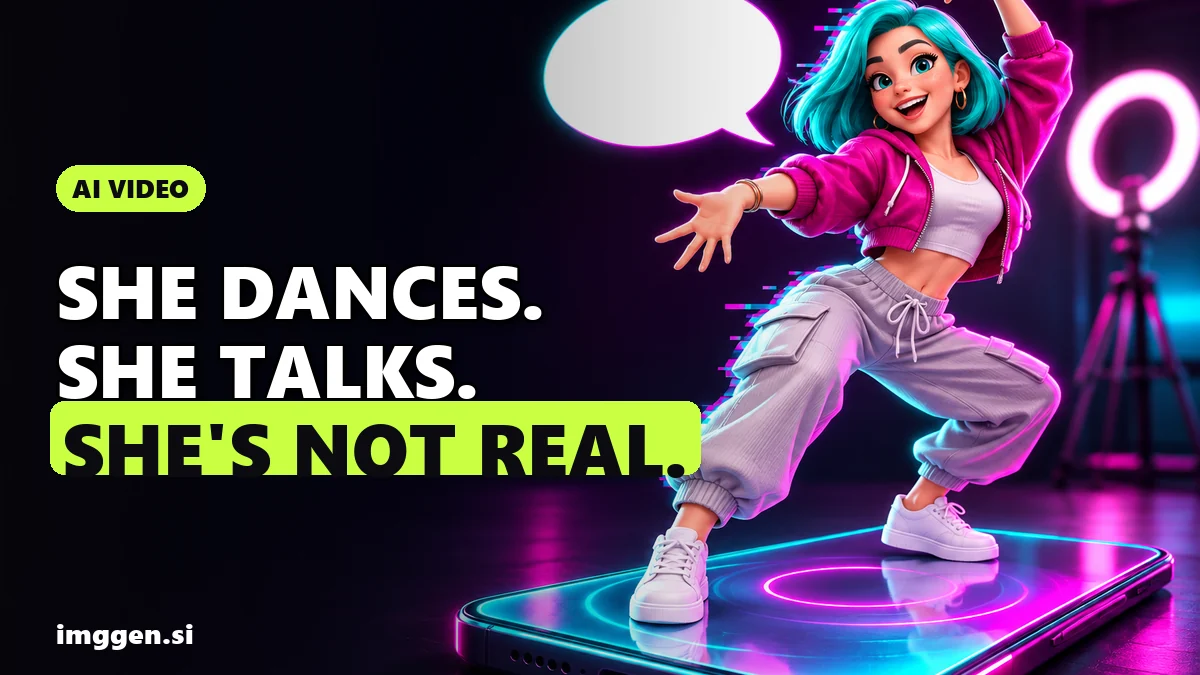
An AI influencer video generator turns a still character into a clip where they move, dance or talk to camera. The practical way to do it in 2026 is two passes. First, a motion-transfer tool copies the movement from a reference video onto your character, which covers dances and trend formats. Then a lip-sync tool turns a photo plus a voice track into a talking clip. You keep the same face across both by starting every video from the same saved character images.
The short answer: for dance and trend videos, Higgsfield's AI Influencer Studio lets you pick a trending motion or upload your own 3 to 30 second clip, and it outputs 1080p video. For talking videos, Higgsfield's Lipsync Studio takes an image plus uploaded audio or a typed script. ImagineArt's talking avatar tool makes clips of up to 3 minutes from a photo and a script. If Kling is the only app you pay for, its own Motion Control handles the dance part. Below are the exact steps, the input rules that decide whether a clip looks real, and the limits the ads leave out.
A note on method: this is research from each company's official pages and help docs, checked on November 7, 2026. It is not a benchmark we ran. Higgsfield and ImagineArt are affiliate partners; Kling is not.
Which AI influencer video generator should you use?
Pick by the clip you want to post, not by the brand. Each tool below does one job well.
| You want | Tool | Inputs | Stated limits |
|---|---|---|---|
| Your character doing a trending dance or move | Higgsfield AI Influencer Studio | Your saved character plus a trending preset or your own clip | Reference clip 3 to 30 s, up to 40 images per video, 1080p output |
| A short talking clip (selfie, podcast, car talk) | Higgsfield Lipsync Studio | An image or video plus uploaded audio or a typed script | Several models to choose from; Higgsfield advises keeping each take under 30 s |
| A longer talking-head explainer | ImagineArt talking avatar (HeyGen Avatar IV) | A photo plus a script and a chosen voice | Up to 3 minutes per generation, credits charged per second |
| Dance motion inside the Kling app | Kling Motion Control | A character image plus a 3 to 30 s motion video, or a clip from the motion library | One main subject, one continuous shot; for speech, Kling points you to standard Video 3.0 generation |
Most accounts need both formats. A feed of only dance clips gives people nothing to follow, and a feed of only talking heads is hard to discover. Plan for motion clips that ride a trend and talking clips that show a personality.
How do you make an AI influencer dance?
A dance or trend video is motion transfer. The generator reads the movement, camera and timing from a reference clip and replays them with your character. Higgsfield says it extracts them "frame for frame".
Step 1: Build the character once
In Higgsfield's AI Influencer Studio, choose Create new and set the base identity in the Builder panel: character type, gender, ethnicity or origin, skin colour, eye colour, skin conditions such as freckles or scars, and age. Fine-tune it under Advanced settings (Face, Body and Style tabs), then generate. You can add one photo of your own face if you want the character to look like you, or leave it out and get a new person. The result is a portrait and a full-body shot on a white background.
Creating or editing a character costs 1.12 credits, according to Higgsfield's AI Influencer page, and each video shows its cost before you run it. Save the result. That portrait and full-body pair is what keeps the face stable in every later clip.
Step 2: Choose the motion
- Trending preset: a motion taken from a video that is performing well right now, curated by Higgsfield and grouped into Higgsfield Curated, Trending and New. This is the fastest route.
- Your own reference clip: upload 3 to 30 seconds of any movement. Higgsfield's help docs also suggest recording yourself and using that clip as the motion source. Higgsfield's Genjutsu page lists 4 to 30 seconds for reference videos, so a clip of 5 seconds or longer works in both places.
Step 3: Generate, then swap one detail
Add your influencer (up to 40 images per video, picked from Elements, Uploads, Generations or Liked) and click Generate. Output is 1080p. Every video runs on Higgsfield's Genjutsu engine, which can also swap one named element, such as the outfit, product, location or on-screen text, while keeping the rest of the shot. That's how one dance becomes three posts: same move, different outfit or location.
How to film a reference clip that transfers cleanly
Kling's Motion Control guide gives the clearest input rules, and they are a good checklist for any motion-transfer tool:
- One continuous shot. No cuts, shot changes or camera moves, or the output may be cut short.
- One person. If two people are in frame, Kling uses the one who takes up the most space.
- Matching framing. Use a full-body character image for a full-body dance and a half-body image for a half-body move.
- Body and head fully visible. Nothing should block them.
- Moderate speed. Very fast or complex moves can produce a shorter clip, and Kling says the credits for it are not refunded.
- Room to move. Leave space around the dancer for big gestures.
ComfyUI's documentation for the Kling node adds two more: use a simple background, and keep the limbs visible in the character image, because hands hidden in pockets can come back as invented hands.
How do you make an AI influencer talk?
Talking is a separate tool. Higgsfield's help docs put it plainly: for talking-head formats, add speech through lipsync. Mouth movement lives in Lipsync Studio, under Video. Making, changing or translating the voice track lives in the Audio tools.
Step 1: Make the voice first
Higgsfield's lip-sync guide says voice is the input that drives facial animation, and it recommends generating expressive audio first because "a flat audio track produces a flat face". You can upload your own recording or type a script and generate speech. The Audio tools offer text to speech, voice change, translation into 18 languages and voice cloning from an MP3 or WAV sample. Higgsfield's rule for cloning: only clone your own voice or one you have the person's permission to use.
Write for the ear, not the page. Higgsfield's guide contrasts "We are pleased to announce our latest product update" with "Today I want to show you something we've been working on for a while." Emotion cues in brackets, such as [excited] or [warm], help the delivery. A 20-second script for a fitness persona might look like this:
[warm] Three morning routines, ranked. Number three: the cold shower. Brave, but no. [excited] Number one takes four minutes, and you can do it before your coffee. Watch.
Step 2: Pick the image and the model
Upload the portrait from your saved character. Higgsfield's guide asks for sharp focus, even lighting, clearly visible features and a light, natural expression rather than a passport-photo face. Then choose a scene template (General, Selfie, Podcast or Car Talking) and a model.
Higgsfield's help docs list models including Google Veo 3.1, Kling 2.6 Lipsync, Wan 2.5 Speak, Kling Avatars 2.0, Higgsfield Speak 2.0 and Infinite Talk, plus video-to-video options such as Kling Lipsync and Sync Lipsync 3. Higgsfield's own guide admits that output quality varies a lot between models, so run the same 10-second line through two of them before you commit a whole script.
Step 3: Keep takes short and cut between them
Higgsfield advises keeping each generation under 30 seconds and cutting between takes, because gestures start repeating on most models past that point. If two characters talk, generate each speaker separately and combine them in an editor. According to the same guide, two faces with overlapping dialogue in one shot produced visible errors on every tool it tested.
Need longer talking clips? ImagineArt's talking avatar tool, powered by HeyGen Avatar IV, turns a photo and a typed script into a video of up to 3 minutes per generation, with credits charged per second. ImagineArt says it also handles stylised characters, animals and mascots, which helps if your influencer isn't human. You don't need a HeyGen account to use it.
How do you keep the same face in every AI influencer video?
Followers notice when a face changes between posts. Three habits keep it stable:
- Start every video from the saved character. The portrait and full-body pair from step 1 is your master reference. Don't regenerate the person for each post.
- Train Soul ID if the character has to match across many tools. Higgsfield trains it once from reference photos and applies it across generations. Our consistent character guide covers the setup.
- Bind the face in Kling. Kling Video 3.0 Motion Control can bind a facial element to improve consistency, but only in the mode where the character's orientation matches the video. Kling's element library uses only the face, not clothing, hairstyle, makeup or props, so keep the outfit in your reference image.
Still designing the character? Start from this brief, then refine it in our free prompt studio or borrow ideas from our AI influencer prompts and character sheet:
 Your AI Influencer prompt
An original virtual influencer, a confident woman in her mid-twenties with a copper-auburn bob, light freckles and small gold hoops, wearing an oversized sage linen shirt, relaxing on a terracotta rooftop terrace above a hillside coastal city and holding an iced matcha, caught mid-smile as if a friend just took the shot. · Photorealistic 35mm Film Frame · Camera: Full-frame mirrorless, 35mm prime at f/1.8, 1/500s, ISO 100, slight handheld tilt for a candid feed look · Lighting: Setting sun as warm key from behind-left, soft bounce from white walls filling the face, gentle lens flare at frame edge · consistent character sheet ready, same face across shots, natural skin texture with pores, subtle Portra 400 grain, lifestyle Instagram aesthetic, shallow depth of field, authentic candid pose --ar 4:5 --no plastic skin, airbrushed, extra fingers, distorted hands, celebrity likeness, brand logos, text, watermark, oversaturated, revealing clothingCustomise it in the free studio
Is there a free AI influencer video generator?
You can try one for free, but you can't run a channel for free. Higgsfield gives new accounts free credits to create a first influencer and run a video. Its AI Influencer extension in ChatGPT is free to try with no card needed. Audio tools aren't available inside ChatGPT, so that route is for motion clips, not talking ones.
Higgsfield's October 24, 2026 pricing post lists the catches:
- The Free plan has no commercial use, so sponsored posts and client work need a paid plan.
- Higgsfield Speak is listed for the Plus and Ultra plans only.
- Unused credits don't roll over. Completed generations aren't refunded even if you don't like the result, though failed ones are usually refunded automatically.
Kling charges Motion Control per second. Its guide lists 9 credits per second in Standard mode and 12 in Professional for Video 3.0, and 5 and 8 for Video 2.6. A 15-second dance on 3.0 Standard is 135 credits before any retries. Plans change often, so check the current price on each site before you budget. If you sign up for Higgsfield through our link, it shows a discount of up to 50% that applies for 3 hours after you arrive. Our Higgsfield vs Kling comparison helps if you're choosing between the two.
Do you have to label AI influencer videos?
On the big platforms, yes, if the video looks realistic. Since August 31, 2026, Instagram asks profiles that feature an AI-generated person to turn on the "AI-generated profile" label, and it says unlabelled profiles may see limits to their reach. Meta also requires its AI label on photorealistic video and realistic-sounding audio made with AI. That can include an AI-generated voice. TikTok requires creators to label AI-generated content that shows realistic scenes or people. YouTube asks creators to disclose realistic altered or synthetic content.
Sponsored posts still need a clear ad label on top of the AI label. Our guide to whether AI influencers are legal on Instagram has the full rule table and a pre-post checklist.
A first-week plan for your AI influencer videos
- Day 1: build and save the character, then write a one-line personality and pick a niche. Our AI influencer niche ideas can help.
- Day 2: make two trend clips from presets, then swap the outfit or location on the better one for a third post.
- Day 3: write three 20-second scripts in the character's voice and generate the audio first.
- Day 4: lip-sync the best script with two different models and keep the winner.
- Day 5: turn on the AI labels and post.
- Days 6 and 7: look at which clips people watched to the end and saved, and make more of that format.
Honest expectations
- Trend dances are crowded. A clean motion transfer copies the move, but it doesn't give anyone a reason to follow. A clear personality, a niche and a steady face do that.
- Expect retries. Fast spins, hands and side angles are where clips break. Higgsfield's own guide says side-angle faces give lower quality on all tools, and subtle emotions such as irony don't transfer reliably from voice to face.
- Credits go faster than you plan. A finished clip you don't like is still paid for.
- Money comes late, if at all. Most beginners earn little or nothing at first, and brand deals tend to follow an audience. See how much AI influencers make for sourced numbers and our AI influencer money playbook for the full path.
FAQ
What is the best AI influencer video generator?
It depends on the clip. For dance and trend videos, Higgsfield's AI Influencer Studio uses trending presets or your own 3 to 30 second clip and outputs 1080p. For talking videos, use a lip-sync tool such as Higgsfield Lipsync Studio, or ImagineArt's talking avatar for clips up to 3 minutes. Kling Motion Control covers dance motion if you only use Kling.
Can I make an AI influencer video for free?
You can try it. Higgsfield gives new accounts free credits for a first influencer and a video, and its ChatGPT extension is free to try. Higgsfield's Free plan doesn't include commercial use, so paid posts need a paid plan.
How do I make my AI influencer talk?
Make the voice first by uploading audio or generating speech from a script. Then upload your character's portrait to a lip-sync tool, pick a model and keep each take under 30 seconds.
How do I make an AI character dance from a video?
Use motion transfer. Upload a 3 to 30 second single-shot clip of one person dancing, match full-body framing between the clip and your character image, and avoid very fast moves.
Do AI influencer videos need an AI label?
On Instagram, TikTok and YouTube, realistic AI video should be disclosed. Instagram also asks profiles that feature an AI-generated person to turn on its AI-generated profile label.
Sources
- Higgsfield: AI Influencer
- Higgsfield Help Center: How to use AI Influencer
- Higgsfield Help Center: Lipsync, voiceover and aspect ratios
- Higgsfield Blog: How to Make Realistic AI Talking & LipSync Videos in 2026
- Higgsfield: Lipsync Studio
- Higgsfield: Genjutsu
- Higgsfield Blog: Higgsfield Pricing Explained (24 October 2026)
- Higgsfield Help Center: How do I create and use a Soul ID character?
- Kling AI: Motion Control User Guide (5 March 2026)
- Kling AI: Motion Control feature page and FAQ
- ComfyUI Docs: Kling Motion Control node
- ImagineArt: AI Talking Avatar Generator
- Instagram for Creators: Introducing the AI-generated profile label
- Meta: Labeling AI-generated images on Facebook, Instagram and Threads
- TikTok Community Guidelines: Integrity and authenticity
- YouTube Help: Disclosing use of altered or synthetic content