Some links below are affiliate links. If you buy through them we may earn a commission at no extra cost to you. We only list tools we would use ourselves. How we make money.
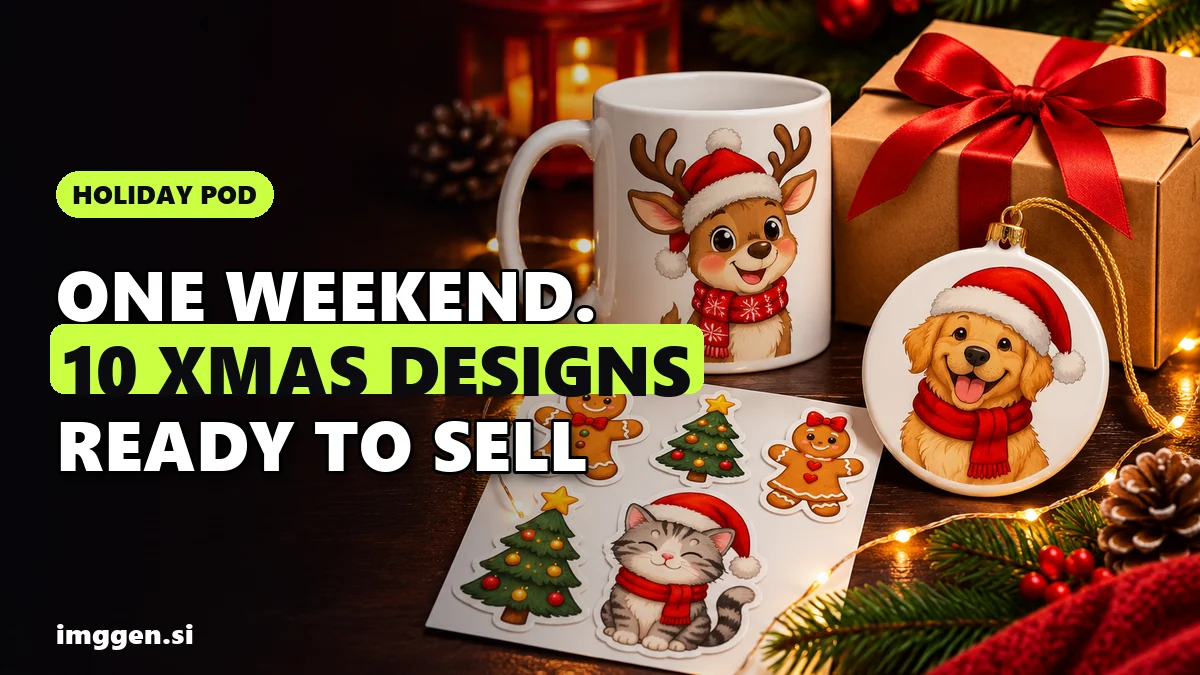
Yes, you can sell Christmas designs made with AI, and the next six weeks are when holiday shoppers buy the mugs, shirts, stickers, ornaments and cards those designs go on. With print-on-demand (POD), you upload a file, a provider such as Printful, Printify or Redbubble prints each order, and you never hold stock. One person can generate, clean, upscale and list a small seasonal collection of 10 to 15 designs in a weekend.
Whether that collection sells, or gets taken down, depends on everything around the image: a niche that isn't buried in identical Santa clipart, files big enough for the printer, Etsy's AI disclosure rule, no borrowed characters, and listings live before the cutoffs. This guide covers each step, with copy-paste prompts for 10 design types. It is based on Etsy's and the providers' own help pages, read on 9 November 2026. It's research, not a sales test.
How do you sell Christmas designs with AI in one weekend?
- Saturday morning: pick 3 to 5 niches and write three design ideas for each.
- Saturday afternoon: generate 4 to 8 variations per idea and keep the best. Bin anything with warped paws, garbled letters or a familiar-looking character.
- Saturday evening: remove backgrounds, check edges and upscale to each product's pixel size.
- Sunday morning: add text and make mockups in a design tool.
- Sunday afternoon: list with niche titles ("corgi christmas ornament", not "cute christmas design"), the AI disclosure, your production partner and processing times you can keep.
Choose products whose files overlap: a square design can be a sticker, an ornament and a mug; a portrait one, a shirt and a card. For the bigger picture, see our AI side hustles guide.
Which Christmas design niches are not saturated?
A plain "christmas sticker" search is crowded. Niche plus occasion is where a new shop can still be found, because the buyer wants something that feels made for one person:
- Pets by breed: "corgi in a Santa hat" beats "cute dog". You can also offer custom versions; Etsy lists "a custom portrait of a buyer's pet generated using AI tools" as a permitted example.
- Hobbies: knitters, anglers, runners, birdwatchers, home bakers, tabletop gamers.
- Jobs: nurses, teachers, electricians, vets, truck drivers.
- Funny family: matching shirts, "first Christmas" designs for new parents or homeowners. Write the jokes yourself; AI puns are the ones everyone already printed.
- Local and regional: a snowy main street in your town's style, a state outline in lights.
Five-minute check: search Etsy for "[niche] christmas sticker". If page one is full of near-identical designs from shops with huge review counts, go narrower ("senior rescue greyhound", "ICU nurse"). If results look generic or loosely related, that's your opening.
10 copy-paste prompts for AI Christmas designs that print well
Print designs need a plain background you can remove, bold shapes that survive small sizes, a centered subject and no text (lettering comes later). Swap the bracketed parts for your niche. We wrote them for this guide and have not run them, so expect to adjust wording per model.
Having several models in one place helps, because one may nail flat vector stickers while another paints better watercolor. ImagineArt lists 30+ models, including Nano Banana Pro, GPT Image 2, Ideogram v4, Flux.2 Pro and its own ImagineArt 2.0, plus 100+ style presets and a free background remover.
- Sticker sheet:
Sticker sheet of 9 cute Christmas stickers about [knitting]: [a yarn ball in a Santa hat, a knitted stocking, a mug with needles]. Flat vector, bold dark outlines, red, green and cream, each with a thick white die-cut border, evenly spaced on plain white, no text. - Die-cut sticker:
A [corgi] in a red knitted scarf and Santa hat, kawaii cartoon, thick clean outlines, flat colors, centered on plain white, thick white die-cut border, no text. - Ugly sweater pattern:
Seamless ugly Christmas sweater pattern, knitted pixel texture, rows of [dachshunds in reindeer antlers], snowflakes and zigzag borders, red, forest green and white, tileable, no text. - Mug wrap (widest aspect ratio you have):
Wide panoramic mug wrap illustration, snowy [mountain town] main street at dusk with warm window lights, gouache, simple shapes spread across the width, plain sky in the center for a name, no text. - Round ornament:
Circular Christmas ornament design, [a robin on a snowy holly branch], vintage watercolor, subject centered fully inside a circle, soft cream background, no text. - Card front:
Christmas card front, portrait 5:7, [a fox family under a snowy pine], hand-painted gouache, empty space at the top for a greeting, muted red and green, no text.More styles and sizes: our AI Christmas card generator guide. - Kids' shirt:
Cute cartoon reindeer [with a school backpack and hot chocolate], bold thick outlines, 4 flat colors, centered on plain white, t-shirt graphic, no gradients, no text. - Custom pet ornament (buyer's photo as reference):
The dog in the reference photo wearing a tiny Santa hat, soft watercolor, head and shoulders, centered in a circle, plain white background, keep its real markings and eye color.More in our AI pet portrait guide. - Minimalist line art:
Single continuous line drawing of a [Christmas tree with a star], black on plain white, minimalist, lots of negative space, even line weight, no text. - Job or hobby badge:
Retro 1970s sunset badge with [a stethoscope wrapped in Christmas lights], screen-print style, 3 flat colors, light distressed texture, plain white background, empty banner below.
Want more variations? Try our free prompt studio.
How do you get transparent backgrounds and clean edges?
Generators usually return a solid background even when you type "transparent", which is why the prompts ask for plain white. Then:
- Cut it out. ImagineArt's background remover is free and downloads a transparent PNG; Photoroom's can keep the result transparent and exports PNG.
- Zoom to 200 to 400% over black and white backgrounds. Look for white halos, stray specks and missed gaps (between legs, inside a wreath).
- Regenerate rather than repair. Add "thicker, cleaner outlines" and run it again. Hard edges print more cleanly than soft glows and faint shadows.
- Save as PNG. Redbubble says sticker files "must be a PNG for transparencies to be saved". On a shirt, a leftover white background prints as a white box.
- Keep the sticker border. Photoroom also has an "Outline your image" tool aimed at printable stickers.
What resolution do Printful, Printify and Redbubble require?
A raw AI image is usually far smaller than a print area, so this step decides sharp versus blurry:
| Provider | What its help page says | Files |
|---|---|---|
| Printful | "At least 150 DPI", and the file dimensions must also match; each product has File guidelines in the catalog | See each product's File guidelines |
| Printify | 300 DPI recommended; 120 to 150 DPI for large items like blankets; exact needs per print area in the Product Creator | JPEG, PNG, SVG; max 100 MB (20 MB for SVG) |
| Redbubble | Minimum pixels per product; "DPI and PPI don't affect your final uploaded image" | JPEG, PNG; max 300 MB or 13,500 × 13,500 px |
Redbubble's holiday-relevant minimums (page updated 26 October 2026): stickers 2800 × 2800 px for all four sizes, Men's Graphic T-Shirts 3873 × 4814, standard mugs 2700 × 1120, greeting cards 2400 × 1600.
For Printful and Printify, pixels = inches × DPI. A 10 × 10 inch area at 300 DPI needs 3,000 × 3,000 pixels. Printify says it automatically enhances low-resolution files, but still recommends meeting each product's requirements.
Upscaling without ruining the design
- Work out the factor. A 1024 px sticker going to 2800 px needs about 2.7×: upscale 4× and resize down.
- Pick the mode. Magnific's docs describe a Creative upscaler that "adds or infers new detail guided by your prompt" and a Precision one for "faithful super-resolution without hallucinations". Precision V2 scales 2× to 16× with photo and illustration flavors. Use faithful mode for stickers and line art; Creative can suit painterly ornaments.
- Re-check edges. If a halo appears around a cutout, upscale the white-background version first and remove the background afterwards.
Magnific plan credits last a full year instead of resetting monthly, and our link takes 20% off Premium and Premium+. ImagineArt's built-in upscaler (2× to 16×) works if you'd rather stay in one app.
Is it legal to sell AI art on Etsy?
Yes, with conditions. Etsy's Help Center puts "seller-prompted AI creations" under "Designed by a seller" and lets sellers use "their original prompts in combination with AI tools". What matters for a POD shop:
- Disclose AI: "Sellers must disclose within their listing description if an item is created with the use of AI." You also "cannot misrepresent AI-generated work as handmade or entirely their own creation."
- Disclose your production partner: Etsy names Printful and Printify as POD examples. Add yours in Shop Manager under Settings, Partners you work with.
- Mockups are allowed for POD on standard products like a t-shirt or mug, "if the stock photo's owner has authorized its use."
- Banned outright: "Bot-generated content", AI-generated patterns, recipes and instructions, and "AI prompt bundles".
A disclosure you can adapt: "I created this artwork with AI image tools from my own prompts, then edited and lettered it myself. It is printed and shipped by my production partner." Only claim what you did. For Etsy's October 2026 photo rules, see our guide to AI product photos on Etsy.
Beyond Etsy: the US Copyright Office concluded in January 2025 that AI outputs are protected "only where a human author has determined sufficient expressive elements", "not the mere provision of prompts". Expect copycats. Etsy also says it can't give legal advice and removes listings after proper notice of infringement. Neither is this article legal advice.
Trademark and copyright traps to avoid
- Characters: no Grinch, Snoopy, Disney or anime characters, and no "grumpy green Christmas creature" prompts meant to get one anyway. Reject any output that resembles a known character.
- Teams and brands: no NFL, NBA or college logos, look-alike marks or brand mascots.
- Lyrics and quotes: modern Christmas songs and holiday movies are usually protected. Write your own lines.
- Registered phrases: some ordinary slogans are trademarked. Search the USPTO trademark database first.
What are the Christmas 2026 shipping and production cutoffs?
For POD, your provider's deadline is the one that matters, because each order is printed before it ships. What official pages showed on 9 November 2026:
- USPS (if you mail stickers or cards yourself): the "2026 Holiday Shipping Dates" page recommends sending by Thursday, Dec. 17 for Ground Advantage and First-Class Mail, Friday, Dec. 18 for Priority Mail and Saturday, Dec. 19 for Priority Mail Express, for expected delivery before December 25 in the contiguous US. Actual delivery may vary. Our AI Christmas photos and cards guide covers mailing your own cards.
- Printful: the holiday deadline guide we found is still labeled 2025, so we don't quote it. Check Printful's blog and help center for 2026 dates.
- Printify: its 2026 guide says deadlines are "usually announced by the middle of October" on its Network Fulfillment Status page, which still showed the 2025 table when we checked. The same page says a $0.40 surcharge on US orders "runs through January 17, 2027".
- Redbubble prints and ships for you; take holiday estimates from its own site, not third-party lists.
Your order-by date is the provider's cutoff for your slowest shipping option, minus a buffer. Printify suggests showing it in your banner, product descriptions, FAQ and order emails. Match Etsy processing times to production time, and order one sample per product type now.
How do you add text and make listings that sell?
AI text in designs is often garbled: letters swap and "Merry Christmas" turns into "Merry Chrismtas". Generate art with "no text" and add lettering in a design tool, where you control spelling and font.
Simplified's graphic design tool lists 1,000+ fonts, text effects, brand kits and resizing "for 30+ size formats". It also has an AI mockup generator, but the page doesn't list products, so check it covers yours. For Etsy, the safest mockups come from your provider (Printify has a Mockup Generator) or an owner who allows that use.
When samples arrive, photograph them on a real table. Photoroom's AI backgrounds and AI shadows can turn those shots into cozy Christmas scenes, and batch mode handles a whole collection. Etsy allows such edits in extra photos "as long as those edits don't make the item appear different". More in our AI product photos guide.
Reality check. Most new shops sell little or nothing in their first season. You're up against shops with reviews and ad budgets, and holiday designs stop selling after December 25. Every sale has costs: Etsy charges a $0.20 listing fee and a 6.5% transaction fee on the order total including shipping, plus payment processing fees that vary by country, and your provider's base price and shipping come out before profit. Misprints, wrong sizes and late parcels mean reprints, refunds or bad reviews. AI lettering is often garbled, and you probably can't stop copycats. Nobody can promise you income. Treat this season as a test of which niches get clicks, and keep your best designs for next year.
Next step: pick three niches tonight and get five listings live this week, while there's time to fix what doesn't work.
FAQ
Is it legal to sell AI art on Etsy?
Yes. Etsy allows seller-prompted AI creations if you add your own creative input and disclose AI use in the listing description. Bot-generated content, AI prompt bundles and AI-generated patterns or recipes are banned, and POD sellers must also disclose their production partner.
What size should AI Christmas stickers be for print on demand?
Redbubble recommends 2800 × 2800 pixels so a sticker works in all four sizes, saved as PNG to keep transparency. For Printful and Printify, multiply the print area in inches by the DPI they ask for (at least 150 for Printful, 300 recommended by Printify).
Can I copyright Christmas designs I made with AI?
Often not on the AI output alone. The US Copyright Office says AI outputs are protected only where a human author determined sufficient expressive elements, not through prompts alone. Your own edits and lettering strengthen your claim.
When is the last day to order print-on-demand gifts for Christmas 2026?
It depends on the provider and shipping method. On 9 November 2026, the Printful and Printify deadline pages we checked still showed 2025 dates, so check them again. USPS's 2026 send-by dates for self-shipped mail run from Dec. 17 to Dec. 19 in the contiguous US.
Can I sell Grinch, Disney or NFL Christmas designs?
Not without a license. Characters, team logos, brand mascots and song lyrics belong to their owners, and Etsy removes listings when it receives proper notice of infringement. Use your own characters and slogans.
Sources
- Etsy Help Center: What Can I Sell on Etsy? (AI-generated content)
- Etsy Help Center: How Do Etsy's Listing Image Requirements Apply to My Listings?
- Etsy Help Center: Working with Production Partners on Etsy
- Etsy Help Center: Etsy Fee Basics
- Printful Help Center: What is DPI, resolution and actual print file size?
- Printify Help Center: What type of print files does Printify require?
- Redbubble Help Center: Dimensions & Format
- Printify: Network Fulfillment Status
- Printify holiday guide for 2026
- Printful: Holiday shipping and order deadline guide (labeled 2025)
- USPS: 2026 Holiday Shipping Dates
- U.S. Copyright Office: Copyrightability report announcement (January 29, 2025)
- USPTO: Search our trademark database
- ImagineArt: AI Image Generator
- ImagineArt: Background Remover
- ImagineArt: AI Image Upscaler
- Magnific API docs: Upscaler Creative
- Magnific API docs: Upscaler Precision V2
- Simplified: Graphic Design Tool
- Simplified: AI Mockup Generator
- Photoroom: Background Remover
- Photoroom: Tools (outline, AI backgrounds, AI shadows)
- Photoroom: Batch Background Remover