Some links below are affiliate links. If you buy through them we may earn a commission at no extra cost to you. We only list tools we would use ourselves. How we make money.
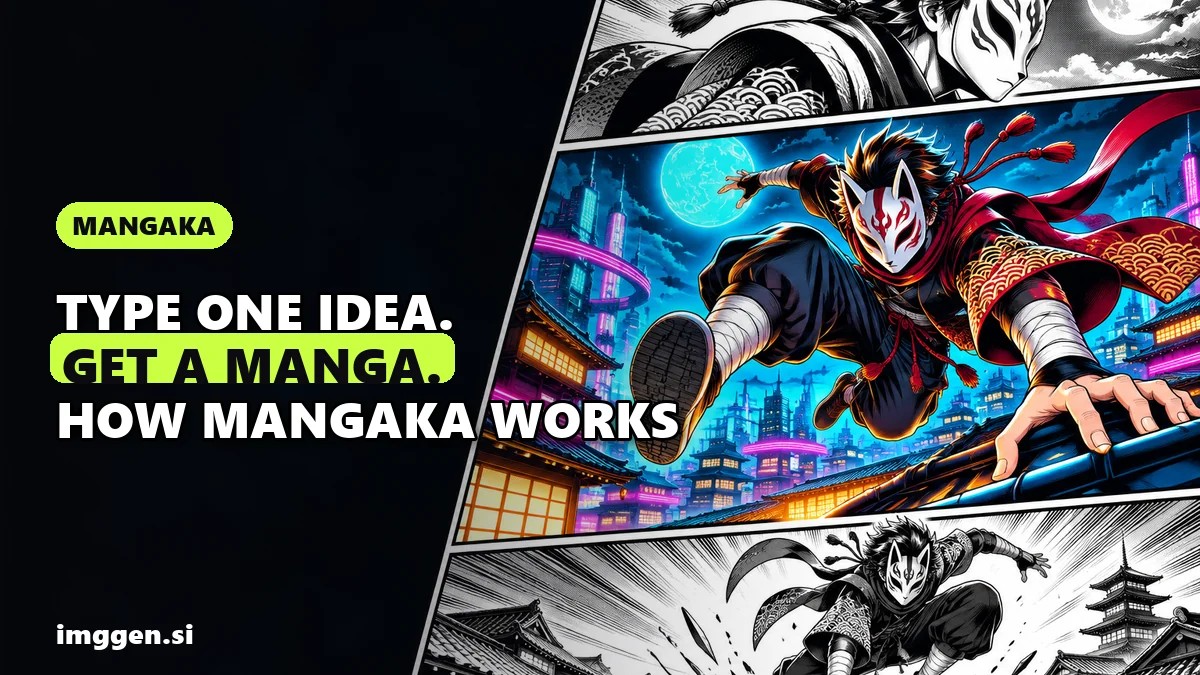
An AI manga generator turns a written idea into finished comic pages, complete with panels, characters and speech bubbles. The newest one comes from Higgsfield. On 3 November 2026 the company launched Mangaka, which it describes as "an agentic tool for making manga, comics, and webtoons." You type a one-line idea or upload a script. The agent then plans the series, designs the cast and draws the chapters in order. You get black-and-white manga, colour manga, comic or webtoon pages with dialogue in 14 languages, exported as PDF, CBZ, PNG pages or a webtoon.
Below you'll find what Mangaka does (and what Higgsfield hasn't said yet), what it costs in credits, a six-step workflow from idea to exported pages, five genre prompts and export settings for WEBTOON, Instagram and print. One honest note: we haven't run Mangaka ourselves yet. This is research from Higgsfield's launch post, read on 4 November 2026, plus official platform pages.
What does Higgsfield Mangaka actually do?
Mangaka is one of the studios inside Higgsfield. It works as an AI comic generator and an AI webtoon maker as well as a manga tool. According to the launch post, it runs in three stages:
- Analyze. The agent turns your idea into a series plan: plot, genres, tone, episodes, characters, locations and props. Higgsfield says this takes about five minutes, and you can correct the plan before moving on.
- Cast. On the Cast & World screen you create characters, locations and props from a description or a photo. "The approved look is reused, so a character stays recognizable across chapters," the post says.
- Generate. Chapters are drawn in order and can be read as each one finishes. You can pause or stop at any point.
In Auto mode the agent makes everything by itself. In Manual mode you approve each character, location and prop before moving on. Higgsfield suggests Manual for a first project, and we agree: it's where you catch a wrong face before it appears on 30 pages.
| Feature | What Higgsfield confirms |
|---|---|
| Starting points | A short idea (one line is enough), a PDF or DOCX script up to 25 MB, an image, or a genre template you adapt with Recreate |
| Styles | Black-and-white manga, colour manga, comic, webtoon |
| Page formats | 3:4, 9:16 and 2:3 |
| Length | Up to 30 chapters, each short (20 pages), medium (30) or long (40) |
| Languages | 14, including English, Spanish, French, German, Japanese, Korean, Chinese, Arabic and Hindi; switching translates the dialogue and refits it into the bubbles |
| Editing | Redraw, reframe or rewrite a single panel; edit a page with a text instruction; Upscale, Relight, Remove background |
| Export | PDF, CBZ, PNG pages or webtoon, per book or per chapter, or Publish on Higgsfield |
What the post does not cover: manual panel-layout control, export resolution, which image models run underneath, a free tier, and commercial-use terms. We left those out rather than guess, so check inside the app if any of them matter to you.
How much does Mangaka cost?
Mangaka runs on Higgsfield credits. According to the launch post, which says pricing was checked on 3 November 2026, a character costs 4 credits, a location 4, a 30-page chapter 30 (the first and every additional one), and a single-page edit 1. Higgsfield says there is no fixed price per manga, because the total depends on length, number of chapters and edits. Costs for props, short or long chapters and exports aren't listed. Using those numbers, a first 30-page chapter with two characters and one location comes to 42 credits before edits. What a credit costs depends on your plan, so check the current price on Higgsfield before you start a long series.
How to turn a story into manga with AI, step by step
For a first project we'd use one short chapter, Manual mode and one main character. These steps follow Higgsfield's post and add the editing habits that make AI comics readable.
Step 1: Write a one-paragraph story idea
One line works, but it leaves the agent guessing. A tight paragraph gets you a better plan. Include who (the main character plus one visual hook, like a mask or a yellow raincoat), what they want, what stands against them, where it happens, the tone, and the hook that ends chapter one. Type it into "Describe your idea", or use the Upload tab for a PDF or DOCX script. There are five ready-made ideas further down.
Step 2: Pick the format for where you'll publish
- WEBTOON Canvas or phone readers: webtoon style, 9:16.
- Instagram carousel: 3:4 portrait pages.
- Printed zine: 2:3, which matches a 6 × 9 inch page exactly.
Set the ratio, chapter count, length and language under Advanced. Start with one short chapter. Higgsfield says you can change length and page format later without starting over.
Step 3: Lock your main character first
Character drift ruins most AI comics: when the hero's hair changes colour on page 4, readers stop trusting the story. Write a character card with name, age, hair, eyes, build, outfit, one signature item and one expression (grumpy, shy, cocky). Add it with the + button, or upload a reference photo. Only use images you have the right to use, as Higgsfield also advises. Refine the look on the Cast & World screen until you'd recognise the character in silhouette, because every page reuses that look. Do the same for the one or two locations that appear most often. For more on this, see our guide to consistent character AI.
Step 4: Fix the plan, then generate
Clicking Generate shows the "Series written" screen with the plot, episodes, cast, locations and props. This is the cheapest place to fix the story, so cut weak characters and sharpen the ending now. Then approve the cast and start production. Read chapter one as soon as it finishes, before the agent draws the rest.
Step 5: Fix weak panels
Read every page once for story and once for art. Look for faces or outfits that don't match the cast, action that's hard to follow, two panels that repeat each other, broken hands or backgrounds, and dialogue that's too long for its bubble. Open a panel to redraw it, reframe it or rewrite its text. To change a whole page, describe the edit in "Describe how to edit image" and select Edit image (1 credit per page, according to the post). For speech bubbles, click "Add bubble" and then "Apply lettering". A bubble only shows on the page once lettering is applied.
Step 6: Export
Download the whole book or single chapters in the format your platform needs:
| Where it goes | Settings | Export | Before you post |
|---|---|---|---|
| WEBTOON Canvas | Webtoon, 9:16 | Webtoon or PNG pages | Stay within WEBTOON's size limits (below) |
| Instagram carousel | 3:4 | PNG pages | Check the crop in the preview |
| Print zine | 2:3 | Upscale, then print one proof copy, since fine screentones can turn muddy on paper |
Export tips for WEBTOON Canvas, Instagram and print zines
WEBTOON Canvas is WEBTOON's self-publishing section. Its Creators Resource Handbook says each image must be under 800 px wide and 1280 px long, at most 2 MB, with up to 20 MB and 100 images per upload, in JPG, JPEG or PNG. Larger images are automatically sliced and shrunk. The handbook isn't dated, so confirm the limits on the upload screen, and read the Canvas content guidelines before your first episode.
Instagram carousels suit manga because each swipe is a page turn. Put your strongest panel on slide one and end with a slide that says when the next part comes out. If a page is dense, split it across two slides instead of shrinking the lettering. Slide limits and cropping change, so check the preview before posting.
Print zines: 2:3 pages fit a 6 × 9 inch trim, and half-letter or A5 zines need margins or a slight crop. Ask your print shop for its file specs first. Many ask for 300 DPI at final size, far more pixels than a screen needs. Mangaka has its own Upscale tool. For a large print or a poster of your best panel, a dedicated upscaler like Magnific (formerly Freepik) is built for that job.
Copy-paste AI manga prompts for 5 genres
Paste one of these into "Describe your idea", then change the names and details to make it yours. Each includes a visual hook, a goal, an obstacle and a chapter-one ending.
Shonen action
Kaito, 16, a courier with spiky silver hair and a cracked white fox mask, races across the neon rooftops of a flooded future Tokyo. He must win the underground rooftop race to pay for his sister's medicine, but his rival Ren, an undefeated champion in a black armoured jacket, has never lost. Tone: fast and hopeful, big speed lines and jumps. Chapter one ends when the package Kaito carries starts glowing.
Settings: black-and-white manga, 3:4 or 2:3.
Slice-of-life
Mina, 24, with a black bob, round glasses and a mustard cardigan, inherits her grandmother's tiny seaside bakery and wants to keep it open for a year, though she can barely bake. A grumpy retired fisherman complains about her croissants every morning. Tone: warm, funny, soft afternoon light. Chapter one ends when she finds her grandmother's recipe book with a note addressed to her.
Settings: colour manga or webtoon, 9:16.
Horror
Jun, a tired night guard in an oversized grey uniform with a flickering torch, works alone in an empty mall during his last week before quitting. Every night at 3:07 a.m. one mannequin stands closer to his office, and the cameras show nothing. Tone: silent, creeping dread, heavy shadows. Chapter one ends with the camera feed showing Jun asleep at his desk while he stands in the corridor.
Settings: black-and-white manga, 9:16, so the reveal lands as readers scroll.
Romance
Hana, a student with long auburn hair and a red scarf, and Leo, a shy barista with paint-stained hands, trade anonymous notes in the same library book. She wants to know who writes back; he's sure she'd be disappointed. Tone: sweet misunderstandings in cherry blossom season. Chapter one ends when Hana recognises the handwriting on her coffee cup.
Settings: colour webtoon, 9:16.
Kids comic
Pip, a small round robot with one big blue eye and a dented orange antenna, lives in a junkyard and wants a friend, but its happy beeping scares everyone away. Then Pip meets Nell, 7, in a yellow raincoat, searching for her lost kite. Tone: gentle and funny, bright colours, simple panels, short dialogue, nothing scary, for ages 5 to 8. Chapter one ends with the kite stuck on a giant sleeping crane.
Settings: comic style, 2:3 for a printed booklet.
How do creators use AI comics?
Comics bring readers back: finishing chapter one gives them a reason to follow you for chapter two. So they work best as a series with a recurring character. Common routes:
- Instagram carousels: a short episode on a regular schedule, which gives people a reason to come back to a page or a brand mascot.
- WEBTOON Canvas: chapters published where comic readers already browse.
- Etsy zines: printed mini-comics. Etsy's Help Center allows items made with AI tools from your own original prompts, but you must disclose AI use in the listing description. Most listings also need at least one real, unedited photo of the item, so photograph your printed copy. See our guide to Etsy's AI rules.
None of these pays by default. Most beginners earn little or nothing at first, and readers judge an AI comic on its story like any other. Treat your first chapters as practice. To compare comics with other ideas, see AI side hustles for 2026.
Reality check
- You are still the editor. Story, lettering and continuity need a human pass in every chapter. Read each chapter as a reader before you publish.
- Layout control is unclear. The post describes panel edits but not manual control over how panels are laid out.
- Check platform rules. Read each platform's current rules on AI-generated work before you publish or sell. Etsy, for example, requires AI disclosure.
- Copyright protection isn't a given. The US Copyright Office says AI outputs can be protected only where a human author has determined sufficient expressive elements, "but not the mere provision of prompts." Rules differ by country, and Higgsfield's post doesn't address ownership, so read its Terms of Use.
- Edits add up. Each page edit costs a credit. Start with one short chapter to see how much you need to fix.
Is Higgsfield Mangaka worth trying?
If you have stories but can't draw, or you want to test an idea before spending weeks drawing a chapter, it's worth one short chapter. On paper, the strength is having it all in one place: script upload, a reusable cast, 14 languages, and exports for screen and print. We haven't tested how well the art holds up across a full chapter. Lock one character, generate one 20-page chapter in Manual mode and count the panels you have to fix. That number tells you whether a full series makes sense. You can draft your character card first in our free prompt studio, or compare other tools in the AI tool directory.
FAQ
What is Higgsfield Mangaka?
Mangaka is a studio on Higgsfield, launched on 3 November 2026, that turns a short idea, a PDF or DOCX script, an image or a template into manga, comics or webtoons. An agent plans the story, creates the cast and draws the chapters in order.
Is there a free AI manga generator on Higgsfield?
Higgsfield's launch post doesn't mention a free tier for Mangaka. It runs on credits: 4 per character or location, 30 for a 30-page chapter and 1 per page edit, according to the post. Check the current plan price before you start.
Can AI turn my story into a manga?
Yes. Mangaka accepts a one-line idea or a finished script uploaded as a PDF or DOCX file of up to 25 MB, then writes a plan you can correct before any pages are drawn.
Can I make a webtoon with AI?
Mangaka has a webtoon style with vertical 9:16 pages and a webtoon export. For WEBTOON Canvas, the official creator handbook asks for images under 800 x 1280 px and 2 MB each, in JPG or PNG.
Does Mangaka keep characters consistent?
Higgsfield says the approved look from the Cast & World screen is reused, so a character stays recognisable across chapters. You should still check every page and fix any panel that drifts.
Can I sell an AI-generated manga?
It depends on the platform's rules and the tool's terms. Etsy, for example, allows seller-prompted AI creations but requires disclosure in the listing. In the US, purely prompt-generated material may not be protected by copyright.
Sources
- Higgsfield Blog: Higgsfield Introduces Mangaka (3 November 2026)
- Higgsfield: Mangaka
- WEBTOON: Creators Resource Handbook (Canvas upload requirements)
- WEBTOON: Canvas content guidelines
- U.S. Copyright Office: Copyright Office Releases Part 2 of Artificial Intelligence Report
- Etsy Help: What Can I Sell on Etsy? (AI-generated content)
- Etsy Help: How Do Etsy's Listing Image Requirements Apply to My Listings?
- The Next Web: Freepik rebrands as Magnific