Some links below are affiliate links. If you buy through them we may earn a commission at no extra cost to you. We only list tools we would use ourselves. How we make money.
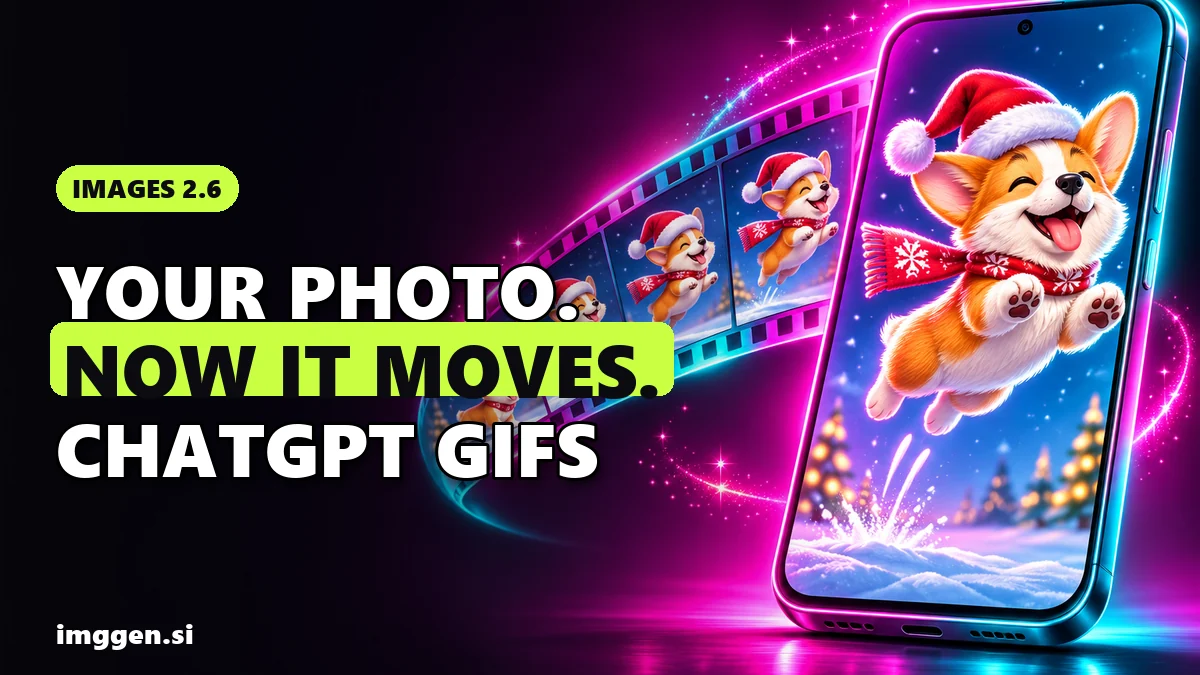
Since 4 November 2026, you can get a ChatGPT animated GIF from one sentence or from a photo you upload. OpenAI's new image model, Images 2.6, draws several slightly different frames and plays them as a loop. OpenAI's own summary: "turn a prompt or image into an animated GIF. Adjust the speed, edit individual frames, and share it on repeat." That means your dog's tail can wag, your selfie can roll its eyes and your product can spin, all in the chat app you already use.
Here's the short how-to. Open ChatGPT, attach a photo if you have one, and ask for an "animated GIF". Say what moves, what stays still and how the loop ends. Below you'll find who has access, steps for text and photos, eight loop-friendly prompts, the confirmed limits, and what to use when a GIF isn't enough. One honest note: we haven't made GIFs with Images 2.6 ourselves yet. This is research from OpenAI's announcement, its API docs and launch-day reporting, read on 5 November 2026.
What is the ChatGPT animated GIF feature in Images 2.6?
Images 2.6 is OpenAI's newest image model for ChatGPT and Codex, released on 4 November 2026. GIFs are the headline feature. OpenAI's demo prompt was simply "Can you make a gif of a cat dancing?" The Decoder describes the result as "several slight variations of a character that are strung together flipbook-style into a GIF."
The word that matters is flipbook. This AI GIF generator makes a run of still images, not a video, so it's at its best with short, simple motion that has a clear start and end pose.
- Two starting points: a written prompt or an uploaded photo.
- Editing afterwards: change the playback speed or edit individual frames instead of starting again.
- Faster images overall: OpenAI says Images 2.6 also speeds up image generation in ChatGPT.
- Two API models: GPT-Image-2.6 Sunburst for detailed work and GPT-Image-2.6 Flare for fast iteration. OpenAI's API guide says both support animated GIF output.
Who can use the ChatGPT GIF maker? Free vs paid
According to The Verge's launch report, OpenAI is rolling out GIFs to all ChatGPT and Codex users on web, desktop and mobile. ETV Bharat's report says Images 2.6 is "available today in ChatGPT and Codex across all subscription tiers on web, desktop, and mobile." Here is what's confirmed and what isn't:
| Question | What we could confirm |
|---|---|
| Free and paid ChatGPT plans | Both covered by the "all ChatGPT users" rollout. No plan-specific GIF limits published. |
| Apps | ChatGPT and Codex on web, desktop and mobile |
| Regions | No regional restrictions listed in the launch material we read |
| API | gpt-image-2.6-sunburst and gpt-image-2.6-flare, with GIF output through the Image API, billed per token |
| Daily GIF caps | Not published |
"Rolling out" means not every account gets it at once. If you get a still image instead of a GIF, update the app and try again later in a new chat.
How to make an animated GIF in ChatGPT from a text prompt
- Open a new chat in ChatGPT on the web, desktop or mobile app.
- Say "animated GIF" in your request. It tells ChatGPT you want motion, not a single picture.
- Describe the subject, the motion and the loop. This is OpenAI's own advice from its API guide: "Describe the subject, motion, and desired loop in your prompt." For a loop that doesn't jump, ask for the last frame to match the first.
- Keep the motion small. One action per GIF: a wave, a blink, a spin, a hop. Every frame is a separate image, so big changes give the model more chances to redraw your character differently.
- Check every frame. Look for faces, hands, logos, text or colours that drift between frames.
- Adjust speed and fix frames. OpenAI says you can change the speed and edit individual frames once the GIF exists. Fixing one bad frame is faster than generating the whole GIF again.
Stuck on wording? Our free prompt studio builds structured prompts you can adapt with a motion and loop line.
How to turn a photo into a GIF with AI in ChatGPT
This is the part most people will use: your own photo, moving. The steps match the ones above, plus one extra job: telling the model what must not change.
1. Pick a photo that animates well
- Sharp and well lit, with the subject filling a good part of the frame.
- A simple background, because busy backgrounds give the model more to redraw in every frame.
- Room to move. A dog with its tail in shot can wag. A tightly cropped head can't wave.
2. Upload it and describe only the motion
Attach the photo with the attachment button in ChatGPT's message box, then write what moves, for example "her tail wags and her ears twitch".
3. Lock what must stay the same
Add one sentence such as "keep the face, markings, clothes and background exactly as in the photo." The same trick keeps pets recognisable in our AI pet portrait guide.
4. Compare frame by frame
Your friends know what your dog looks like. If an ear changes shape halfway through, edit that frame or ask again. And stick to photos you have the right to use: your own face, pet or product is fine, but ask anyone else first.
8 ChatGPT GIF prompts that loop well (copy and paste)
Each prompt follows OpenAI's subject, motion and loop pattern. A frame count is optional: OpenAI's API accepts 2 to 64 frames, but OpenAI hasn't said how closely ChatGPT follows a number you type, so treat it as a hint.
- Reaction GIF (text only)
Make an animated GIF of a cartoon cat in round sunglasses slowly lowering them and raising one eyebrow, then pushing them back up. Flat pastel background, bold outlines. The last frame matches the first so it loops smoothly. - Your own reaction GIF (from a selfie)
Turn this selfie into a looping reaction GIF: I do a slow, exaggerated eye-roll and a small shrug, then return to a neutral face. Keep my face, hair, clothes and the background exactly as in the photo. End on the same pose it starts with. - Pet GIF (from a photo)
Animate this photo of my dog as a looping GIF: her tail wags and her ears twitch twice, everything else stays still. Keep her face, fur colour and markings exactly as in the photo. The final frame matches the first. - Product spin (from a photo)
Make a looping GIF of this sneaker turning one full 360-degree rotation on a white turntable. The camera stays fixed, soft studio light, a gentle shadow under the shoe. Keep the colours, stitching and logo placement identical in every frame. - Holiday greeting (text only)
Create a cosy animated GIF of a cartoon corgi in a Santa hat hopping in place in front of a window, snow falling gently outside and fairy lights blinking. Warm colours, simple shapes, seamless loop.
Want "Happy Holidays" on it? Ask for the words to stay fixed in every frame, then check the spelling in each one. - Meme GIF (text only)
Make an animated GIF in a simple flat comic style: a small office plant on a desk droops as the calendar on the wall fills up with meetings, then springs back up when the calendar clears. Loop back to the opening frame. - Sticker-style GIF (text only)
Make a sticker-style animated GIF of a smiling cartoon avocado waving one hand, thick white outline around the character, plain solid mint background, about 6 frames, smooth loop.
OpenAI hasn't said GIFs support transparent backgrounds (its API guide names only PNG and WebP for transparency), so pick a plain colour that suits where you'll post. - Small-shop announcement (text only)
Make a looping GIF of a gift box in red and gold: the lid pops open, confetti bursts out, then the lid settles back on. Flat illustration, plain cream background, no text.
Put your offer in the caption, not in the GIF, so there is no text to drift between frames.
ChatGPT GIF limits: length, frames, resolution and file size
This is where the launch is thin. For ChatGPT GIFs, nothing we could read gives a maximum length, frame count, resolution, file size or daily allowance. The developer docs for the same models give the clearest picture:
| API setting | OpenAI's API guide | What it means |
|---|---|---|
| Frame count | 2 to 64 frames, default 9 | A GIF is a short run of separate images |
| Frame duration | 20 to 2,000 ms per frame (rounded to 10 ms), default 200 ms | The defaults give 9 x 200 ms = 1.8 seconds per loop |
| Size | Auto, or width x height in multiples of 16 | Frames must fit the model's size limits and a total pixel budget, so you can't max out frame count and frame size at the same time |
| Loop | No loop setting | Describe the loop in the prompt |
OpenAI's own example uses 9 frames at 200 ms each, where "the monkey returns to its starting pose after 1.8 seconds." These are API numbers. ChatGPT may use different defaults, and OpenAI hasn't said. Developers set output_format to gif and pay per token, so check OpenAI's pricing page for the current rate.
Two more limits come from the GIF format itself, not from OpenAI:
- Colour: the GIF89a specification caps each colour table at 256 colours. Gradients, skin tones and sunsets can show banding or grainy dithering, while flat illustration stays clean.
- Sound: the format has no audio track. Music, voice or sound effects need a video file.
When a GIF is not enough: image-to-video for longer clips with sound
A GIF is great for a reply, a sticker or a looping teaser. It's the wrong format for a Reel, a TikTok or a YouTube Short, which need sound, full colour and more than a couple of seconds. The next step up is image-to-video: you keep the same starting picture (your photo or a still you made in ChatGPT) and a video model turns it into a proper clip.
| ChatGPT animated GIF | Image-to-video (example: Kling 4.0 on Higgsfield) | |
|---|---|---|
| Output | Looping GIF | Video clip |
| Length | Not published for ChatGPT (API default 1.8 s) | 3 to 30 seconds, per Higgsfield |
| Resolution | Not published for ChatGPT | 720p or 1080p |
| Sound | None (GIF format) | Stereo audio |
| Best for | Replies, stickers, quick loops | Reels, Shorts, TikTok, ads |
Higgsfield: several video models, one upload
Higgsfield's image-to-video page describes the flow in one line: "Upload a photo, illustration, or product shot, choose the camera move and pacing, then export." Its video generator lists models including Kling, Seedance, Veo and Sora 2, so you can try one photo on several models. According to Higgsfield's launch posts, Kling 4.0 does image-to-video in 9:16, 1:1 and other ratios (specs in the table above), and Seedance 2.5 makes clips of up to 30 seconds with sound generated in the same pass as the picture.
Reuse the motion line from your GIF prompt, then add what viewers should hear, for example "soft jingle bells and one happy bark". Higgsfield says you can try image-to-video free before you subscribe. After that it runs on credits, so check the current price. Through our link, Higgsfield's referral offer gives up to 50% off for three hours after you arrive.
ImagineArt: make the still and animate it in one app
If you like OpenAI's look but need a video at the end, ImagineArt keeps both steps in one dashboard. Its docs list GPT Image 2, an OpenAI model, in the image generator. ImagineArt doesn't list Images 2.6 or GIF output, so use it for the still and the video. The image-to-video flow from its docs:
- Open Video Studio and click Create Video.
- In the Frames tab, upload your picture as the Start Frame.
- Optionally add a Last Frame. ImagineArt says this works only with specific models. Using the same picture for both makes the clip start and end on the same image, which makes it easier to loop.
- Set the aspect ratio, duration and resolution (the options depend on the model), then generate. ImagineArt says generation "typically completes within 30–60 seconds."
Choosing a tool for vertical clips? See our comparison of the best AI video generator for YouTube Shorts.
Reality check before you post an AI GIF
- GIFs are short and low-colour by design. No sound and up to 256 colours per colour table. Don't expect a cinematic clip.
- A flipbook can drift. Every frame is a new image. Check faces, paws, logos and text in each frame before you share.
- Other people's photos need their consent. A friend's selfie turned into a reaction GIF shows their face doing something they never did. Ask first. TikTok, for example, doesn't allow AI-generated content showing the likeness of anyone under 18, or of adult private individuals used without their permission.
- Check platform rules before posting AI GIFs of real people. TikTok requires a label on AI-generated content that shows realistic-looking scenes or people. Instagram has its own AI labels, covered in our guide to Instagram's AI rules.
- The limits aren't public yet. If a GIF comes out shorter or smaller than you hoped, that may be ChatGPT's current limit and not your prompt.
FAQ
Can ChatGPT make animated GIFs?
Yes. Since OpenAI released Images 2.6 on 4 November 2026, ChatGPT can turn a text prompt or an uploaded photo into an animated GIF. OpenAI says you can then adjust the speed and edit individual frames.
Is the ChatGPT GIF maker free?
The Verge reports that GIFs are rolling out to all ChatGPT and Codex users on web, desktop and mobile. OpenAI hasn't published separate GIF limits for Free and paid plans in the material we read.
How do I turn a photo into a GIF with ChatGPT?
Attach the photo, ask for an animated GIF, describe what moves and what must stay the same, and ask for the last frame to match the first so it loops smoothly.
How long can a ChatGPT GIF be?
OpenAI hasn't published a limit for ChatGPT. Its API allows 2 to 64 frames at 20 to 2,000 ms each, with a default of 9 frames at 200 ms, which comes to 1.8 seconds.
Can a ChatGPT GIF have sound?
No. The GIF format has no audio track. For a clip with sound, use an image-to-video model such as Kling 4.0, which Higgsfield says renders 3 to 30 seconds with stereo audio.
Can I make a GIF from a photo of someone else?
Only with their permission. Platforms have rules too: TikTok doesn't allow AI content using the likeness of adult private individuals without permission, or of anyone under 18, and it requires labels on realistic AI content.
Sources
- OpenAI: Introducing Images 2.6 (4 November 2026)
- OpenAI on X: GIFs with ChatGPT Images 2.6
- The Verge: ChatGPT will now make you animated GIFs
- The Decoder: ChatGPT can now turn text prompts and photos into animated GIFs with OpenAI's Images 2.6 model
- The Next Web: ChatGPT can now make animated GIFs with OpenAI's Images 2.6
- ETV Bharat: OpenAI introduces Images 2.6 in ChatGPT, Codex and API
- OpenAI API docs: Image generation guide (animated GIF output)
- OpenAI API docs: GPT-Image-2.6 Sunburst model
- OpenAI API docs: Pricing
- W3C: Graphics Interchange Format (GIF89a) specification
- TikTok: Supporting responsible, transparent AI-generated content
- TikTok Community Guidelines: Integrity and Authenticity
- Higgsfield: AI Image to Video Generator
- Higgsfield: AI Video Generator (models)
- Higgsfield: Kling 4.0 on Higgsfield
- Higgsfield: Seedance 2.5 on Higgsfield
- ImagineArt docs: Image to Video
- ImagineArt docs: GPT Image 2