Some links below are affiliate links. If you buy through them we may earn a commission at no extra cost to you. We only list tools we would use ourselves. How we make money.
The best AI video generator for YouTube Shorts depends on what kind of Short you make. Here is the short answer. To try AI video for free, start with the tools built into YouTube Shorts: YouTube says its Veo 3 Fast generation is free for creators, though it outputs at 480p. For realistic clips with a recurring character, use a multi-model studio like Higgsfield, where Kling 4.0 and Seedance 2.5 both render vertical 9:16 clips of up to 30 seconds with sound. For faceless explainer Shorts built from a script, a template tool like Simplified handles script, voiceover, captions and B-roll in one place.
The rest of this guide covers what a Short actually needs from a generator, a side-by-side comparison of five options, which one suits which kind of channel, a step-by-step workflow and the YouTube rules that decide whether an AI Short can earn money. One honest note: we did not benchmark these tools. This is research from official product pages, help docs and launch posts, and where a company makes claims about its own product, we say so.
What does a YouTube Short need from an AI video generator?
Most "best AI video generator" lists rank tools on cinematic quality. For Shorts, four practical things matter more:
- Vertical output. YouTube's help page says a Short must be square or vertical and up to 3 minutes long. A generator that only renders 16:9 forces you to crop, and the crop throws away most of the frame.
- Clip length and sound. Most AI models render a few seconds to half a minute per generation, so a 45-second Short is usually several clips edited together. Native audio (ambience, effects, dialogue) saves you a separate sound pass.
- Consistency. If the same character appears in every Short, the face has to stay the same from clip to clip. Without that, viewers notice, and you can't build a recognisable series.
- Cost per usable second. You will throw away takes. A tool with a cheap draft mode lets you test ideas before paying for a final render.
There is also a policy layer: YouTube asks you to disclose realistic AI content, and its monetisation rules target mass-produced videos. We cover both below, because they decide whether a Shorts channel is worth building at all.
Best AI video generators for YouTube Shorts compared
These are the five options we think are worth comparing for Shorts today, based on what each company publishes:
| Tool | Best for | Shorts-relevant facts | Free option |
|---|---|---|---|
| YouTube Shorts built-in AI (Veo 3 Fast, Gemini Omni Remix) | Trying AI video at no cost, quick remixes | Veo 3 Fast makes clips with sound at 480p; rolled out first in the US, UK, Canada, Australia and New Zealand. Gemini Omni remixing launched in May 2026 | Yes, YouTube says these are free |
| Higgsfield | Realistic Shorts with a recurring character | Kling 4.0: 3 to 30 s, 720p or 1080p, 9:16, stereo audio. Seedance 2.5: up to 30 s, 9:16 to 21:9, audio in the same pass, up to 50 references. Veo 3.1 also listed | Free plan: one video job a month, no commercial use |
| Simplified | Faceless, narrated explainer Shorts | Topic to script, AI voiceover, auto-captions with translation into 80+ languages, B-roll and resizing for vertical | Shorts generator page says "Free forever" |
| getimg.ai | Comparing several video models on one credit balance | Lists Kling 4.0, Seedance 2.5, Wan 3.0, MiniMax H3 Max, Gemini Omni Flash 1.1 and FLUX 3 Video, plus video upscaling | No free plan listed; Entry plan is $15 a month on its homepage today |
| ImagineArt | Cheap first test of Kling 4.0 | Kling 4.0 Flash is live (up to 20 s, up to 720p); the full model is rolling out | "First video's on us, no card required" |
A note on Sora: Higgsfield reports that OpenAI shut down the Sora app in April 2026 and the Sora 2 API on September 24, 2026, and that Sora 2 is no longer part of its lineup. Older "best of" lists that still recommend it are out of date.
The gap between these tools is not mainly quality. It is control. YouTube's built-in tools are fast but give you little say over the result. A studio like Higgsfield gives you model choice, reference images, keyframes and a locked character face, which is what you need once you are making a series instead of one-off clips. You can run the same 9:16 prompt through Kling 4.0 and Seedance 2.5 side by side, and if you arrive through our link, Higgsfield gives up to 50% off for 3 hours.
Which AI video generator fits your kind of Short?
Story, character and "what if" Shorts: Higgsfield
Recurring characters, mini-dramas and cinematic "what if" clips need realistic motion and a face that stays the same. On Higgsfield, Kling 4.0 renders 3 to 30 seconds per generation in 9:16 with two-channel stereo audio. That's enough for a complete hook-and-payoff Short in one take. Seedance 2.5 accepts up to 50 reference images or clips and has Region edit, which repaints one face or object without touching the rest of the clip. Higgsfield lists Seedance 2.5 drafts at 30 credits for 10 seconds at 480p, a cheap way to test motion before rendering at 1080p. Credit costs change and vary with references, so check the Generate button before you render. For a deeper spec breakdown, see our Kling 4.0 vs Seedance 2.5 comparison, and for keeping one face across every clip, read our guide to consistent character AI.
Faceless explainers, facts and listicles: Simplified
Many Shorts channels aren't cinematic at all: a narrated fact, a tip or a top-five list over moving visuals with big captions. That's a script-and-assembly problem, not a model problem. Simplified's YouTube Shorts generator takes a topic, drafts a short script, adds a realistic AI voice, inserts B-roll and generates captions you can translate into 80+ languages. Its main video generator page also lists models including Veo 3.1, Kling 3.0 and Gemini Omni for when you want generated footage. One limitation: the Shorts generator page doesn't say whether its B-roll is stock footage or AI-generated, so check the clips you get before you publish.
Testing models before you commit: getimg.ai or ImagineArt
If you don't know yet which model suits your style, a shared credit balance saves you three subscriptions. getimg.ai lists Kling 4.0, Seedance 2.5, Wan 3.0 and Google's Gemini Omni Flash 1.1 in one workspace, with Elements to reuse a saved character or product across generations. Its Entry plan includes a selection of models; Core and above unlock all of them. ImagineArt is the lowest-risk first step: its Kling 4.0 page says the first video is free with no card, and Kling 4.0 Flash makes clips of up to 20 seconds at up to 720p.
Zero budget: YouTube's own tools
YouTube announced Veo 3 Fast in Shorts as free, with sound, at 480p. In May 2026 it added Gemini Omni to Shorts Remix and the YouTube Create app "at no cost", so you can remix eligible Shorts with your own prompts and images. The trade-offs are low resolution, little control, and availability that depends on your country. These tools are good for learning what works, but weaker for a channel with a recognisable look.
How to make an AI YouTube Short, step by step
This workflow suits story and character Shorts. For faceless explainers, steps 1 and 6 still apply, and Simplified handles the middle.
1. Write the hook first
Your first second has to give viewers a reason to stay. Write the Short as 3 to 5 beats, one line each: what we see, what moves, what we hear. Our free prompt studio helps you turn rough ideas into structured prompts.
2. Lock your character or subject
Make 3 to 5 clean reference stills (front, profile, full body) with the same lighting. On Higgsfield, Soul ID trains a face once so it appears across images and videos.
3. Generate a cheap vertical draft
Set the aspect ratio to 9:16 before anything else. Render the opening beat at the lowest resolution to judge motion and framing. A prompt that works well for a hook looks like this:
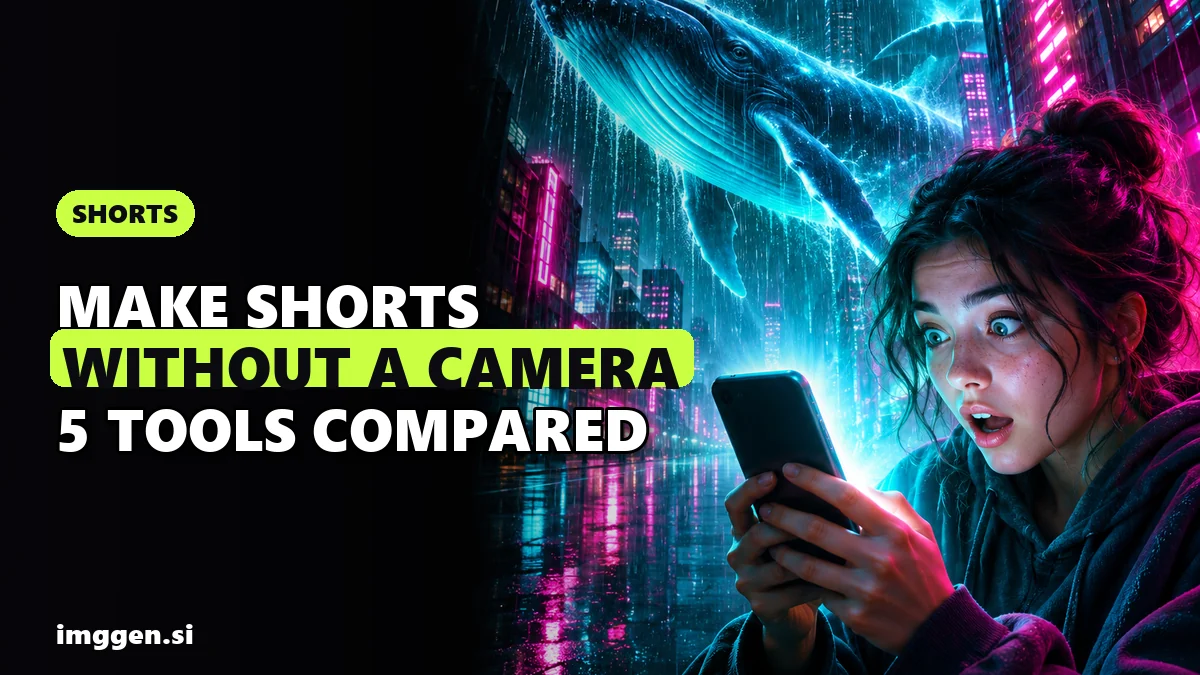
Vertical 9:16, 10 seconds. Close-up of a young man in a rain-soaked hoodie on a night street, neon signs reflected in puddles. 0-2 s: he looks straight into the camera, startled. 2-6 s: the camera pulls back fast to reveal a giant glowing whale drifting between the buildings above him. 6-10 s: slow push-in on his face as the light washes over it. Handheld phone-camera feel, realistic skin texture, ambient city noise and a deep whale call.
4. Render the keeper at full quality
Only the take you will publish goes to 1080p. If one detail is off, fix that spot (Seedance's Region edit, or Kling 4.0's edit video mode) instead of paying for a full new render.
5. Edit, caption and add the payoff
Join your clips in any editor, add captions (most Shorts are watched without sound at first) and end on a payoff or a loop back to the first frame. For chaining clips into a longer story, see how to make an AI short film.
6. Disclose and upload
In YouTube Studio, open the Attributes section and set "AI use" to Yes if the Short looks realistic. More on that next.
Can you monetise AI-generated YouTube Shorts?
Yes, but YouTube's rules decide which AI Shorts can earn money. Two policies matter.
Disclosure. YouTube requires creators to disclose AI-generated or altered content that seems realistic, for example a realistic scene that never happened or a real person appearing to say something they didn't. Clearly animated or unrealistic content, and minor edits such as colour filters, captions or upscaling, don't need disclosure. YouTube's help page states that disclosing AI content alone won't limit a video's audience or its eligibility to earn money. Creators who repeatedly fail to disclose can face penalties, up to removal from the YouTube Partner Program. Clips made with YouTube's own AI tools are labelled automatically.
Inauthentic content. In July 2025 YouTube renamed its "repetitious content" policy to "inauthentic content". Its monetisation policy lists "AI-generated content made with generic or unoriginal templates giving the impression of mass production", "templated storylines" and "videos that stitch together unrelated or inconsistent AI clips to surprise or shock viewers" as ineligible. The same page explicitly allows "using AI to visualize a unique character and narrative you invented". The test YouTube gives is that "the substance of each video should be materially varied and deliver creative, educational, or other value". In practice, a recurring character with real story arcs is a safer bet than 50 near-identical auto-generated clips a week.
Reality check. No generator makes a Short go viral on its own. Expect to throw away several takes for every clip you keep, and expect hands, fast action and on-screen text to break more often than anything else. Free tiers are for learning: YouTube's built-in Veo output is 480p, and Higgsfield's free plan doesn't allow commercial use. Monetising Shorts also requires joining the YouTube Partner Program and meeting its thresholds first. If you are hoping to earn from this, most beginners earn little or nothing at first, and channels that grow usually do it through a clear niche and months of consistent posting, not a better model. Platform claims quoted here come from the companies that sell these tools.
Verdict: the best AI video generator for YouTube Shorts
| Your situation | Start with | Why |
|---|---|---|
| No budget, just curious | YouTube's built-in AI tools | Free, inside the Shorts app, with sound |
| Character, story or "what if" channel | Higgsfield | Kling 4.0 and Seedance 2.5 in 9:16 with audio, up to 30 s, plus a locked character face |
| Faceless explainer or listicle channel | Simplified | Script, voice, captions and B-roll in one flow |
| Not sure which model fits your style | getimg.ai or ImagineArt | Several models on one balance, or a free first Kling 4.0 Flash video |
If you plan to post a recurring character or cinematic Shorts several times a week, model choice and face consistency matter most, and a multi-model studio is the best fit. Run your hook prompt through two models, keep the better take and build the series from there.
Looking for formats that work? Try our guide to making "what if" AI videos, see how creators turn video skills into income in AI side hustles for 2026, or browse every video tool in the tool index.
FAQ
What is the best free AI video generator for YouTube Shorts?
YouTube's own tools are the easiest free start: YouTube says Veo 3 Fast in Shorts is free and makes clips with sound at 480p, and Gemini Omni remixing is available at no cost in Shorts Remix and the YouTube Create app. Availability depends on your country.
Can AI-generated YouTube Shorts be monetised?
Yes, if they meet YouTube Partner Program rules. YouTube allows AI used to visualise a character and story you invented, but mass-produced, templated or repetitive AI content is not eligible to earn money.
Do I have to label AI-generated Shorts?
You must disclose realistic AI content by setting "AI use" to Yes in YouTube Studio. Clearly animated or unrealistic content and minor edits like filters or captions don't need it. YouTube says disclosure alone doesn't limit reach or earnings.
Which AI video model makes vertical 9:16 videos?
Kling 4.0 and Seedance 2.5 both support 9:16 on Higgsfield, with clips of up to 30 seconds and generated audio. Kling 4.0 Flash on ImagineArt and several models on getimg.ai are other options.
How long can a YouTube Short be?
Up to 3 minutes, in a square or vertical aspect ratio, according to YouTube's help page. Most AI models render 30 seconds or less per clip, so longer Shorts are edited together from several clips.
Sources
- YouTube Help: Upload YouTube Shorts (length and aspect ratio)
- YouTube Help: Disclosing use of altered or synthetic content
- YouTube Help: YouTube channel monetization policies (inauthentic content)
- YouTube Blog: Unpacking the magic of our new creative tools (Veo 3 Fast in Shorts)
- YouTube Blog: All the YouTube news from Google I/O 2026 (Gemini Omni in Shorts Remix)
- Higgsfield: Kling 4.0 on Higgsfield, Features, Settings, and Pricing
- Higgsfield: Seedance 2.5 on Higgsfield
- Higgsfield: Pricing Explained, Plans, Credits, and What's Included (Oct 24, 2026)
- Higgsfield: Sora 2 API Shutdown, Best Alternatives and How to Migrate
- Simplified: Free AI YouTube Shorts Generator
- Simplified: AI Video Generator (models)
- getimg.ai: models and plans
- ImagineArt: Kling 4.0 AI Video Generator