Some links below are affiliate links. If you buy through them we may earn a commission at no extra cost to you. We only list tools we would use ourselves. How we make money.
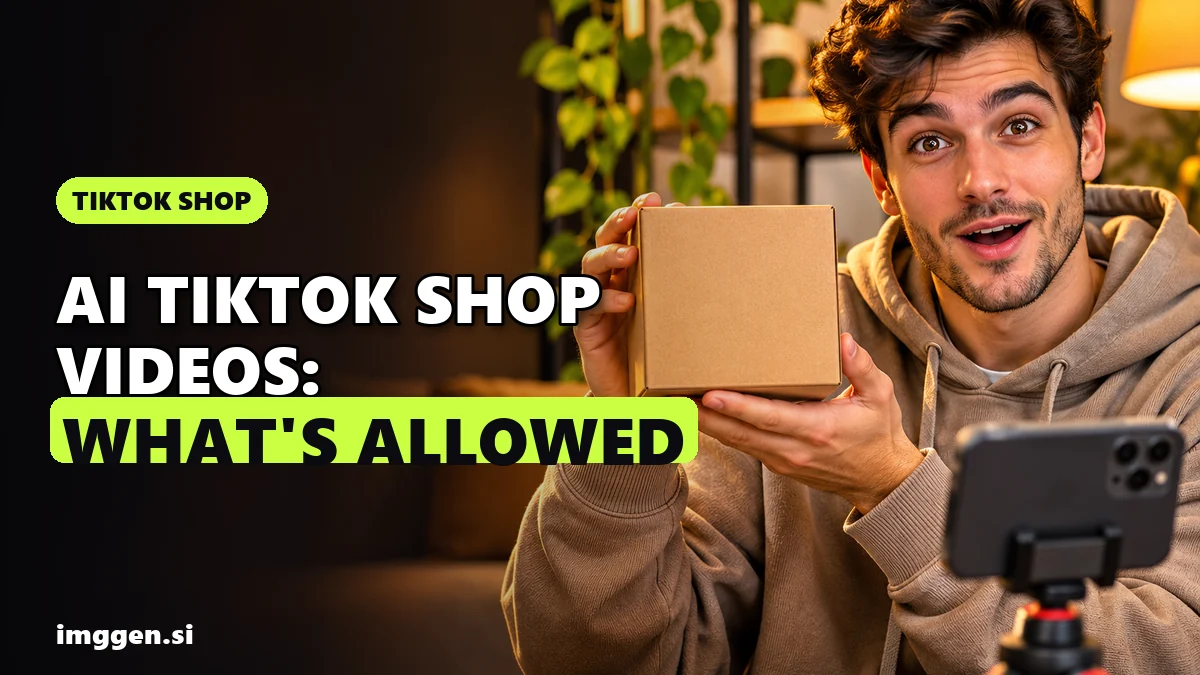
Yes, you can use AI to make TikTok Shop videos. TikTok Shop's own policy says content "will not be restricted or penalized solely for using AI." The catch is everything around that sentence. The product on screen must match what buyers receive, AI can't fake results or play a doctor, shoppable videos can't be slideshows or still frames, and anything fully generated or heavily edited with AI must be disclosed. So the workflow that fits the rules is to film the real product yourself and let AI handle the rest: the script, hook variations, scene shots without the product, captions and translations.
That split is also the fastest way to post every day as a TikTok Shop affiliate. You film once per product, and AI turns that footage into three to five versions to test. Below: the 2026 rules, the affiliate requirements, a step-by-step workflow, the right tools and the mistakes that cost creators their product links. This is research from TikTok Shop's US Academy policy pages and the tools' official pages, checked on November 8, 2026, not a test we ran. The rules quoted are the US versions, and other regions differ.
Are AI videos allowed on TikTok Shop?
Yes, with conditions. TikTok Shop's US page AI-Generated Content Restrictions and Requirements (updated September 2, 2026) applies to creators and sellers and sums it up in one line: "AI-generated content is allowed, but you must be transparent and accurate." It covers any video, image, audio, text or LIVE that is fully or partly made or edited with AI.
| Allowed (if the product info stays true) | Not allowed |
|---|---|
| AI visual styles and effects | AI "doctors" or "professors" endorsing health products, or AI avatars posing as experts |
| Changing lighting, colours or the background | Unrealistic results, such as a shampoo that "instantly grows hair" or a vacuum removing deep stains instantly |
| Translation, dubbing, narration and subtitles | Changing a product's size, colour, material, shape, quantity or bundle contents |
| AI-written copy, if it is truthful | Making a static product look animated, or turning a flat product into a fake 3D visual |
| Demos that show the real size, functions and normal results | Fear-based visuals, such as damaged organs, used to sell health products |
| Third-party AI tools that follow these rules | Someone else's likeness, voice or trademark without permission |
Before-and-after shots "must not compress time or imply instant results" unless the product has reliable evidence behind it.
How to disclose AI in a TikTok Shop video
Creators must "proactively disclose content that is fully generated or significantly edited using AI." This matters most for synthetic faces, voices and digital humans, and for anything realistic enough to pass as real footage. TikTok gives you two ways to do it:
- Say so in the content itself, with on-screen text, a sticker, a watermark or a note in the description.
- Turn on the AI-generated content setting when you post. This adds a "Disclosed by creator as AI-generated" label.
TikTok says content "will not be demoted or restricted solely because the AI-generated content setting is enabled." It may also add its own label when a file carries AI metadata such as Content Credentials, and you can't remove a label the platform applied. Light edits such as colour grading or small crops need no label. Breaking the rules can mean restricted reach, removed product links and lost Creator Health Rating points. Repeat cases can lead to posting limits, permanently disabled commission withdrawals or a ban.
What kind of AI video works for TikTok Shop?
The AI policy isn't the only filter. TikTok Shop's Requirements for High-Quality Videos and LIVEs (updated November 6, 2026) says "content that relies primarily on still images or static visuals is not permitted when promoting products," and that includes slideshows, screenshots and animated content. It tells you to "include engaging and dynamic visuals, ensuring they feature your face and the physical product." The AI page adds that product videos "must clearly and accurately display the physical product." Put those rules side by side and the formats sort themselves:
| Format | Fit with the 2026 rules | Why |
|---|---|---|
| You on camera with the real product, plus AI hooks, scene shots and captions | Best fit | Real product, face visible, and AI only touches what doesn't need to be real |
| Real hands-on footage with an AI script, AI dubbing or subtitles | Good fit | AI narration is allowed but should be disclosed. TikTok's guidance still asks for your face, so add at least one shot of you |
| AI avatar presenting an AI-rendered product | High risk | No real face or physical product. A generated product easily drifts in size, colour or label, and the avatar can't claim to be a customer or expert |
| Slideshow of photos or AI images with a voiceover | Not allowed as a shoppable video | It is still-frame content |
Build on the first row. It is also the most believable: people buy from creators who clearly have the thing in their hand.
Who can become a TikTok Shop affiliate in 2026?
TikTok's US Creator Eligibility Policy (updated September 25, 2026) requires an Affiliate Creator to:
- be at least 18 and based in the United States
- have at least 1,000 followers
- pass Creator Identity Verification (driver's license, state ID or passport) and confirm their age within two months
- apply in the app under Monetization > TikTok Shop for Creator > Join now
Accounts under 5,000 followers go into the Affiliate Creator Pilot Program for at least 30 days. The pilot allows up to 3 shoppable videos a day and 3 shoppable LIVEs a week. It also limits which shops you can promote and excludes you from campaigns. You leave the pilot at 5,000 followers and 30 days. One TikTok FAQ gives a different limit (5 videos a week), so trust the numbers in your own creator center. Some categories also require a Promotion Performance Score of 3.5 and a Creator Health Rating of 150 or more. Before you accept a product, read the seller's collaboration terms, which can add content rules of their own, including on AI.
How to make an AI TikTok Shop video, step by step
This is the hybrid workflow from the table above, for one product. For the next product, reuse the same script structure.
Step 1: Pick a product you can show for real
Buy it, or request a sample if the seller offers one, since TikTok lets sellers switch on free samples for affiliate collaborations. A free product is a "material connection" under the FTC's influencer guide, so you must disclose it, just like the commission. Also check the category. TikTok's Branded Content Policy bans promoting weight-loss products, pharmaceuticals, CBD and several other industries, and limits some others to invited creators.
Step 2: Film 4 to 6 real clips
Shoot vertical 9:16 in daylight. Film the product in your hand, a close-up of the label or texture, the product in use, its size next to your hand, and you saying one line to camera. These clips are your proof, and no AI tool needs to touch them.
Step 3: Write three hooks and one script with AI
Give your AI assistant only facts from the product page, so it can't invent claims:
Write three 2-second TikTok hooks and one 20-second script for [product]. Use only these facts from the listing: [paste]. Structure: hook, one proof I can show on camera, then "link below". No health claims, no "I've used this for months", no instant results.Read it out loud and cut any line you can't stand behind. The FTC is blunt: "You can't talk about your experience with a product you haven't tried."
Step 4: Generate the scenes that don't show the product
This is where AI saves the most filming. Generate short clips of the problem or the setting, like a tangled drawer before the organiser, a cosy desk for a lamp or a rainy street for a jacket. Then cut to your real footage the moment the product appears. Higgsfield and ImagineArt both generate these in 9:16 from a text prompt or one of your photos. Keep the product out of the AI shots, and skip "after" scenes that promise more than it delivers.
Step 5: Edit, caption and label
- Cut it as a 2-second hook, then real proof, then the ask. Burn in captions for people watching on mute, but keep them off the product. TikTok Shop's shoppable-video guidance says not to overlay text or stickers on it, even partly.
- Export without a tool watermark. The same guidance asks you to keep recognizable logos out of sight.
- Turn on the AI-generated content setting if your AI scenes look realistic.
- Turn on the commercial content disclosure toggle. TikTok's Branded Content Policy counts content that earns "a commission on any sales" as branded content and requires it.
- Disclose the relationship in the video too, for example "I earn a commission from this link." The FTC says the disclosure belongs in the video, not just the description, and that a platform tool alone may not be enough.
- Name the product out loud or in the caption, and attach the product link.
Step 6: Post variants, not copies
Swap only the hook and keep the proof footage. That tells you which opening works. In the pilot, the 3-a-day limit gives you a natural rhythm: one product, three hooks, one day.
Which AI tools fit TikTok Shop videos?
For affiliates, AI tools help with Steps 3 to 5. Sellers who own the product and its photos can go further and generate whole ad videos from a product link. Those videos still have to match the listing frame by frame, and they need an AI label.
| Tool | Best for | What the official page says |
|---|---|---|
| Higgsfield video models | Affiliates: hook visuals and scene shots around real footage | 30+ image and video models side by side, including Seedance, Kling, Veo and MiniMax |
| ImagineArt Ad Studio | Sellers: many ad variations from one product link | Product URL "from any ecommerce store" or images, 40+ avatars, nine formats, "20–50 variations" per session, 9:16 export and multilingual lip-sync |
| Higgsfield Marketing Studio | Sellers: phone-style UGC ads with one recurring face | A product link becomes an ad "ready for TikTok, Reels, and Shorts", in Faceless, Talking Head or Silent styles of up to 15 seconds |
| Photoroom Video Ad Maker | Sellers whose photos already live in Photoroom | Up to 6 photos become a 5, 8 or 10 second UGC, product or "TikTok trend" video. Max and Ultra plans only |
On cost, ImagineArt's pricing page says its Basic plan costs $5 a month (1,500 credits) today. Check the current price and the credits per video before you subscribe. Its Ad Studio page says output is cleared for commercial use, including paid ads. Higgsfield says it doesn't restrict commercial use of outputs, and its paid plans download without a watermark.
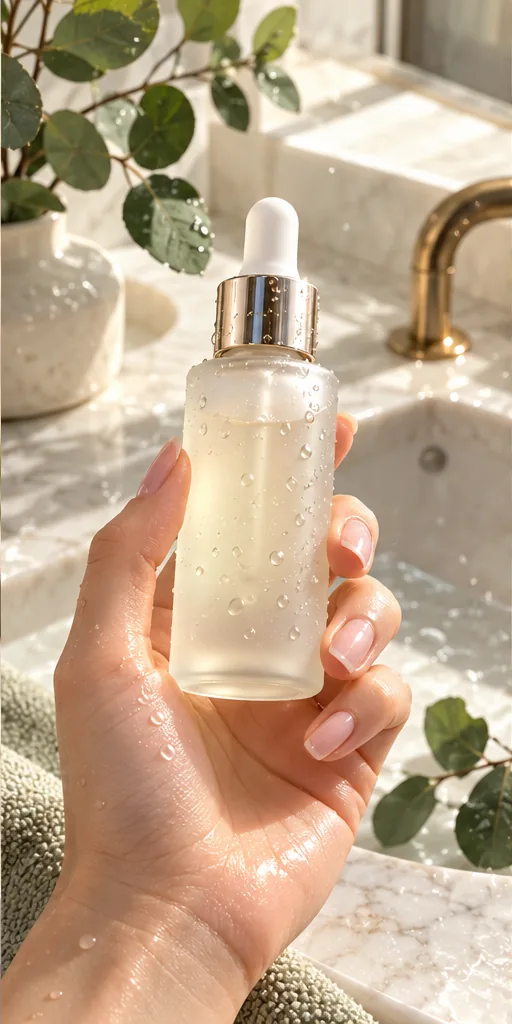
Selling your own product? This brief gives you a phone-style, hand-held product shot to use as a first frame. Check it against the real item:
 Scroll-Stopping UGC Ad prompt
A first-person UGC-style shot of a hand with a natural manicure holding an unbranded frosted glass serum bottle with a gold dropper, covered in fresh water droplets, above a marble bathroom sink with eucalyptus leaves, like a real customer filming their morning routine. · Commercial Studio Product Photography · Camera: Phone-camera POV at 26mm equivalent, f/1.8, product sharp in the center third, background gently blurred · Lighting: Morning window light as key from the side, white marble as natural bounce, crisp specular highlights on glass and droplets · authentic UGC ad aesthetic, premium but natural, dewy texture, clean label area for your own branding, social-first 4:5 crop, conversion-focused composition --ar 4:5 --no fake brand names, readable text, distorted fingers, extra fingers, harsh flash, cluttered counter, watermark, plastic-looking skinCustomise it in the free studio
Tweak it in the free prompt workbench, compare engines in the tool directory, or see the full workflow in how to make AI UGC ads.
How much can you earn with AI TikTok Shop videos?
TikTok publishes no average earnings figure, but it does document how commission works. TikTok's Seller Center help on open collaborations says sellers choose a commission "between 1% and 80%" per order, and a targeted invitation's rate always overrides the open rate. You earn that share of sales made through your video or showcase. Income depends on price, rate, views and how many viewers buy. AI shortens the filming but changes none of those.
Honest expectations
- Most beginners earn little or nothing at first. Early videos teach you which hooks and products work. Under 5,000 followers, the pilot limits how much you can post.
- AI doesn't replace the product. You still need the item in hand, and the strongest proof shots are real ones.
- Expect retries and costs. AI scenes take several generations, credits run out, and samples aren't always free.
- The rules change. The TikTok pages quoted here were updated between March and November 2026. Check them again before you scale up.
Weighing TikTok Shop against other options? Our AI side hustles guide compares them, and AI product photos that sell covers images if you run your own shop.
Mistakes that get AI TikTok Shop videos restricted
- A slideshow with a voiceover. Still-frame content isn't allowed in shoppable videos.
- An AI-rendered product that drifts, such as a different colour, a bigger bottle, an extra bundle item or a garbled label.
- An avatar posing as a customer or expert. TikTok's policy names AI "doctors" outright, and the FTC's 2024 rule bans testimonials from people who don't exist.
- Instant-result before-and-afters the product can't back up.
- Wrong AI labelling, whether that's no label on realistic AI scenes or a label on content that isn't AI. TikTok counts false disclosure either way as a violation.
- Skipping the commercial content toggle on a commission video.
- Someone else's face or voice without permission, including a celebrity sound-alike.
Get these right, and AI turns one filming session into a week of tested hooks without putting your product links at risk.
FAQ
Are AI videos allowed on TikTok Shop?
Yes. TikTok Shop's US policy says content won't be restricted solely for using AI, as long as it is accurate and disclosed. AI can't change how the product looks or works, fake results, or pose as a doctor or expert, and still-frame slideshows aren't allowed in shoppable videos.
Do I need to label AI TikTok Shop videos?
Yes, if the content is fully generated or significantly edited with AI. Turn on the AI-generated content setting when posting, or state it with on-screen text, a sticker or a note in the description. TikTok says the setting alone doesn't demote a video.
Can I use an AI voiceover in TikTok Shop videos?
In shoppable videos, TikTok Shop's AI policy allows AI narration, dubbing and translation, and asks you to disclose synthetic voices. In TikTok Shop LIVEs, AI-generated voices are not allowed.
How many followers do you need for TikTok Shop affiliate?
In the US, TikTok's Creator Eligibility Policy requires at least 1,000 followers, age 18 or older and identity verification. Accounts under 5,000 followers start in a pilot program with posting limits and no campaign access for at least 30 days.
Can I make TikTok Shop videos without showing my face?
TikTok Shop's quality rules ask for dynamic videos that feature your face and the physical product, and they don't allow content built mainly on still images. Real hands-on product footage helps, but plan for at least one shot of you.
Sources
- TikTok Shop US Academy: AI-Generated Content Restrictions and Requirements (updated Sep 2, 2026)
- TikTok Seller Center help: About open collaborations (commission 1% to 80%)
- TikTok Seller Center help: About target collaborations
- TikTok Community Guidelines: Integrity and Authenticity
- TikTok Safety Center: Supporting responsible, transparent AI-generated content
- TikTok Branded Content Policy (effective Oct 30, 2026)
- FTC: Disclosures 101 for Social Media Influencers
- FTC: Final rule banning fake reviews and testimonials
- ImagineArt AI Ad Studio
- ImagineArt pricing
- Higgsfield Help Center: How do I use Marketing Studio to create video ads?
- Higgsfield blog: Meet the New Marketing Studio (Aug 18, 2026)
- Higgsfield Help Center: Who owns my generations and can I use them commercially?
- Photoroom Video Ad Maker