Some links below are affiliate links. If you buy through them we may earn a commission at no extra cost to you. We only list tools we would use ourselves. How we make money.
To make "what if" AI videos, you need five things: a question with a visual payoff, a short script, scenes that look like they belong together, a voiceover, and an edit. On October 22, 2026, Higgsfield released Content Factory, a tool that does all five from one "what if" topic. According to Higgsfield's changelog, it writes the script, creates the characters and scenes with voiceover, and edits the result into a finished clip of 15 seconds to 5 minutes, in batches of 1 to 4 episodes.
Below: what Content Factory actually does (from Higgsfield's own pages, not hype), how to make what if AI videos with it step by step, topics that work, a manual route if you'd rather assemble the pieces yourself, and the YouTube and TikTok rules that decide whether a faceless channel survives.
What is Higgsfield Content Factory?
It is a new Higgsfield tool for faceless short videos. The product page headline is "Generate viral faceless short videos", and the pitch underneath is "Pick a trending style, add your idea, and get a ready-to-post video series, one episode at a time." You can run it on the page itself ("Generate here") or inside Claude through the Higgsfield MCP connector ("Generate in Claude"). Here is what Higgsfield documents, and what it doesn't:
| Question | What Higgsfield's pages say |
|---|---|
| What does it make? | A finished clip from a "what if" topic: script, characters, scenes with voiceover, and edit (changelog, Oct 22, 2026) |
| How long? | 15 seconds to 5 minutes; the page defaults to 30 seconds |
| How many? | 1 to 4 episodes per run; the default is 1 |
| Styles | A library of 50+ formats, or your own preset built from links to existing videos (the page asks for a TikTok or Instagram link) |
| Voiceover | Each line is generated separately and can be redone on its own |
| Where it runs | On higgsfield.ai, or in Claude after you connect Higgsfield MCP |
| Cost | Not listed in the announcement; generation uses Higgsfield credits, so check the cost shown in the app before you run a batch |
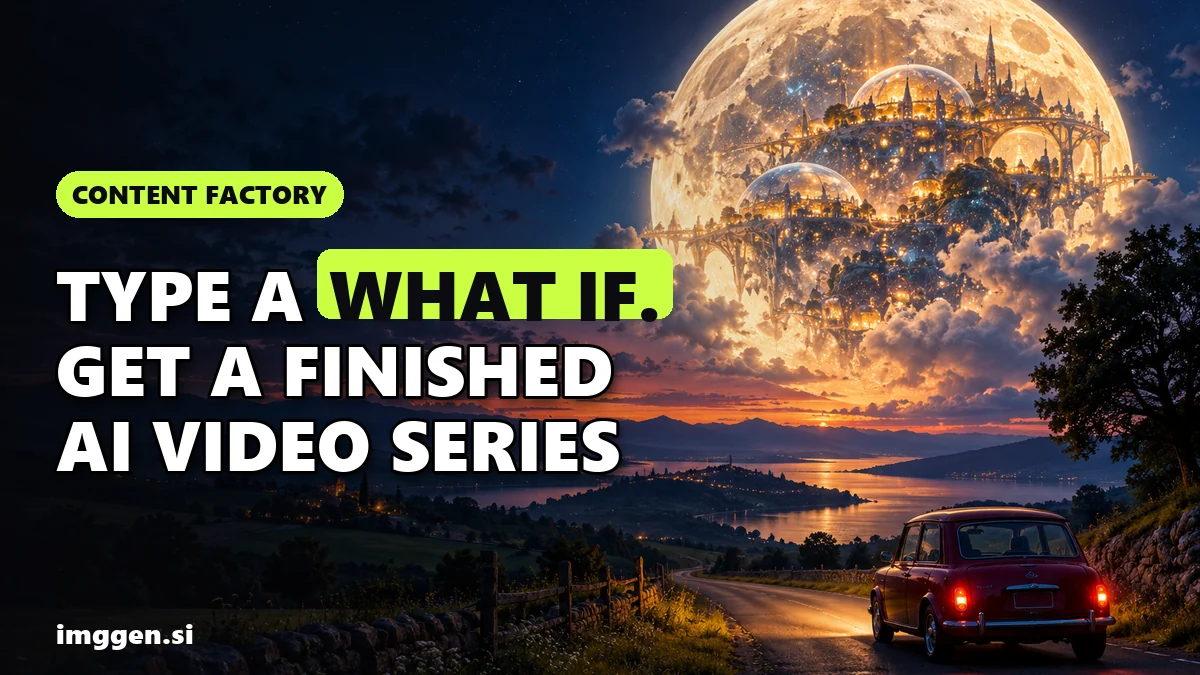
The example topics on the page tell you the target genre: "What if cars could fly", "What if cats ruled the world", "What if the Moon had a city", "What if dinosaurs never went extinct" and "What if gravity switched off for a day". Below the input box sits a grid of reference reels you can start from, each showing its view and like counts, up to 54.5 million views. Those numbers belong to the original reels, not to anything Content Factory has produced. Treat them as proof that the format exists, not as a forecast for your first upload.
Creators Toolbox covered the launch the same day and describes it as a tool "built to turn any idea into a viral-style reel", with "what if" explainers and animated ad hooks as the examples. Google already suggests searches such as "higgsfield content factory" and "how to make what if ai videos", so people are looking.
How to make what if AI videos with Content Factory, step by step
Higgsfield's own quick start is four clicks: open Content Factory, pick a format, enter a topic in What if, Generate. The steps that make the result worth posting sit around those clicks.
1. Write the question so the answer is visual
"What if the Moon had a city?" works because every answer is a picture: domes, low-gravity sport, Earth hanging in a black sky. "What if inflation stopped?" doesn't, because the answer is a chart. Before you type, list three shots the answer would need. If you can't, change the question.
2. Pick a trending style, or bring your own reference
Click a card in the reference grid ("Use as reference") or paste a link to a TikTok or Instagram video whose pacing you like. Use references for rhythm and visual style only. Don't clone another creator's characters, voice or exact script: it is their work, and an obvious copy is the fastest way to look like everyone else in the feed.
3. Set length and episodes
Start with 30 seconds and one episode. Short tests are cheaper, and you learn more from five 30-second posts than from one 5-minute video nobody finishes. Once a topic gets saves and comments, use the 2 to 4 episode setting to turn it into a series ("What if the Moon had a city, part 2: the first winter").
4. Generate, then fix the script before you fix the pictures
Read the script as if you were the most pedantic person in your comments. "What if" videos mix fact and speculation, and the facts have to be right: check every number, date and scientific claim against a primary source. Then listen to the voiceover. Because each line is generated separately, you can redo a line that sounds flat or mispronounces a word without regenerating the whole video.
5. Check every scene for errors
Look for melted hands, text that turns into gibberish, and characters that change face between shots. One bad frame in the first three seconds costs you the viewer. Regenerate or cut it.
6. Label it and post it
Turn on the AI label where the platform asks for it (rules below), write a caption that adds one fact the video doesn't say, and pin a comment asking for the next "what if". Viewers who suggest topics come back to see if you made theirs.
What makes a good "what if" video topic?
The formats that hold attention share three traits: the question fits on one line, the first shot answers it visually, and there is a twist in the last five seconds. Topics that tend to fit:
- Physics flips: what if gravity switched off for a day, what if Earth had rings, what if the oceans froze overnight.
- History swaps: what if dinosaurs never went extinct, what if Rome had trains, what if the printing press came 1,000 years early.
- Everyday scale: what if your city was 10 times taller, what if every car could fly, what if cats ruled the world.
- Space: what if the Moon had a city, what if we lived on Mars for a year, what if the Sun were blue.
- Your niche: what if your coffee shop opened on a space station, what if your bike route ran through the Ice Age. Niche topics get fewer views but better followers.
Avoid real people, real brands and trademarked characters. "What if [celebrity] ran for president" invites a deepfake complaint and is exactly the kind of realistic content that needs disclosure on YouTube. An original robot narrator or a cartoon cat is safer and becomes a recognisable mascot.
If you want to plan the script yourself before generating, this brief works in any chatbot:
Write a 30-second "what if" short for vertical video. Topic: What if the Moon had a city? Structure: 1) hook question on screen in the first 2 seconds, 2) four visual beats, one sentence each, describing what we would see, 3) one surprising consequence, 4) a closing question that invites comments. Mark every factual claim with [CHECK] so I can verify it. Narrator: calm, curious, no hype. No real people, brands or logos.Paste the result into the "Make a video about" box, or use our free prompt studio to turn each beat into a scene prompt.
Can you make what if videos without Content Factory?
Yes. Content Factory saves time, not magic. The manual route is the same chain done by hand, and it gives you more control over each shot:
- Script in any chatbot with the brief above.
- Key frames: generate one still per beat with an image model, keeping the same art style and narrator character in every prompt.
- Motion: turn each still into a 3 to 5 second clip with an image-to-video model.
- Voice: record it yourself or use an AI voice.
- Edit: cut on the beat, add captions, export 9:16.
| Content Factory | Manual chain | |
|---|---|---|
| Time per video | Minutes of setup plus review | An hour or more for a first video |
| Control per shot | Less: you steer with topic, style and reference | Full: every frame is your prompt |
| Consistency | Characters and scenes are generated as one project | Up to you; character drift is the usual problem |
| Best for | Testing many topics fast, series | A signature look, longer stories |
For a deeper, story-driven version of the manual chain, see how to make an AI short film. To compare video models side by side first, browse the tool index.
Can what if AI videos be monetized on YouTube and TikTok?
They can, but the platforms now write rules with exactly this kind of tool in mind. Read them before you plan 100 uploads.
YouTube. The YouTube Partner Program renamed its "repetitious content" policy to "inauthentic content" in July 2025. Monetized content must "not be mass-produced, generic, repetitive, or manipulative", and the policy lists "AI-generated content made with generic or unoriginal templates giving the impression of mass production" as not allowed. It also says using automated tools is fine when the final video still shows creative vision, giving "using AI to visualize a unique character and narrative you invented" as an acceptable example. In practice: a recurring narrator, your own research and a consistent point of view are what separate a channel from a template farm.
YouTube also requires creators to disclose realistic AI-generated or altered content, such as a realistic scene that never happened. Clearly unrealistic or animated content, like "someone riding a unicorn through a fantastical world", doesn't need the label. A cartoon "what if" probably doesn't; a photoreal "what if a tsunami hit [real city]" does, and may be a bad idea anyway.
TikTok. TikTok's community guidelines say it requires creators to label AI-generated or significantly edited content that shows realistic-looking scenes or people, and that unlabeled content "may be removed, restricted, or labeled" by its team. Use the AI-generated content toggle when you post.
Honest expectations. The view counts in Higgsfield's reference grid belong to other creators' reels and say nothing about yours. Journalist Taylor Lorenz, writing in User Mag in July 2026, argued that the polished viral clips used to sell AI video tools often hide heavy iteration: dozens, if not hundreds, of generations. Expect to regenerate, cut and rewrite. Every generation costs credits, so test with 30-second single episodes before you batch. Most new faceless channels get very few views for weeks, and many never monetize. What compounds is a recognisable series with accurate facts, not volume.
How do you make covers and post a what if series consistently?
A series lives or dies on its grid: viewers who like one episode check your profile, and a row of matching covers tells them there is more. Keep one cover template with the question as large text, the same narrator or mascot in the corner and an episode number. Simplified's AI thumbnail maker generates YouTube, TikTok and Instagram thumbnails, lists YouTube Shorts and TikTok sizes (1080x1920), and its workspace includes a social calendar with publishing to 12+ platforms, so covers and scheduling happen in one place.
A simple rhythm that is sustainable for one person: write five questions on Monday, generate and fix them on Tuesday and Wednesday, schedule them for the rest of the week, and read every comment for next week's topics. If the format clicks and you want to turn it into income, our guide to AI side hustles covers the realistic routes.
Ready to test your first question? Start with a single 30-second episode in Content Factory and judge the script before the pictures.
FAQ
What is Higgsfield Content Factory?
A Higgsfield tool launched on October 22, 2026 that turns a 'what if' topic into a finished faceless video: script, characters, scenes with voiceover, and edit. Videos run 15 seconds to 5 minutes, 1 to 4 episodes per run.
Can I use Content Factory inside Claude?
Yes. The page offers 'Generate in Claude', which requires connecting the Higgsfield MCP connector first. You can also generate directly on higgsfield.ai.
How much does Content Factory cost?
Higgsfield's announcement doesn't list a credit cost. Generation uses Higgsfield credits, so check the cost shown in the app before running a batch.
Can you monetize AI what if videos on YouTube?
Possibly, if they aren't mass-produced or templated. YouTube's inauthentic content policy rejects generic AI videos that look mass-produced but allows AI used to visualize an original character and narrative.
Do I have to label what if AI videos?
On TikTok, label AI content that shows realistic-looking scenes or people. On YouTube, disclose realistic AI content; clearly unrealistic or animated content doesn't need the label.
Sources
- Higgsfield changelog: Content Factory (Oct 22, 2026)
- Higgsfield Content Factory product page
- Higgsfield MCP
- Creators Toolbox: Higgsfield Content Factory turns any idea into a reel (Oct 22, 2026)
- YouTube channel monetization policies (inauthentic content)
- YouTube Help: Disclosing use of altered or synthetic content
- TikTok Community Guidelines: Integrity and authenticity
- User Mag (Taylor Lorenz): My Journey Into The Slop Factory
- Simplified AI thumbnail maker