Some links below are affiliate links. If you buy through them we may earn a commission at no extra cost to you. We only list tools we would use ourselves. How we make money.
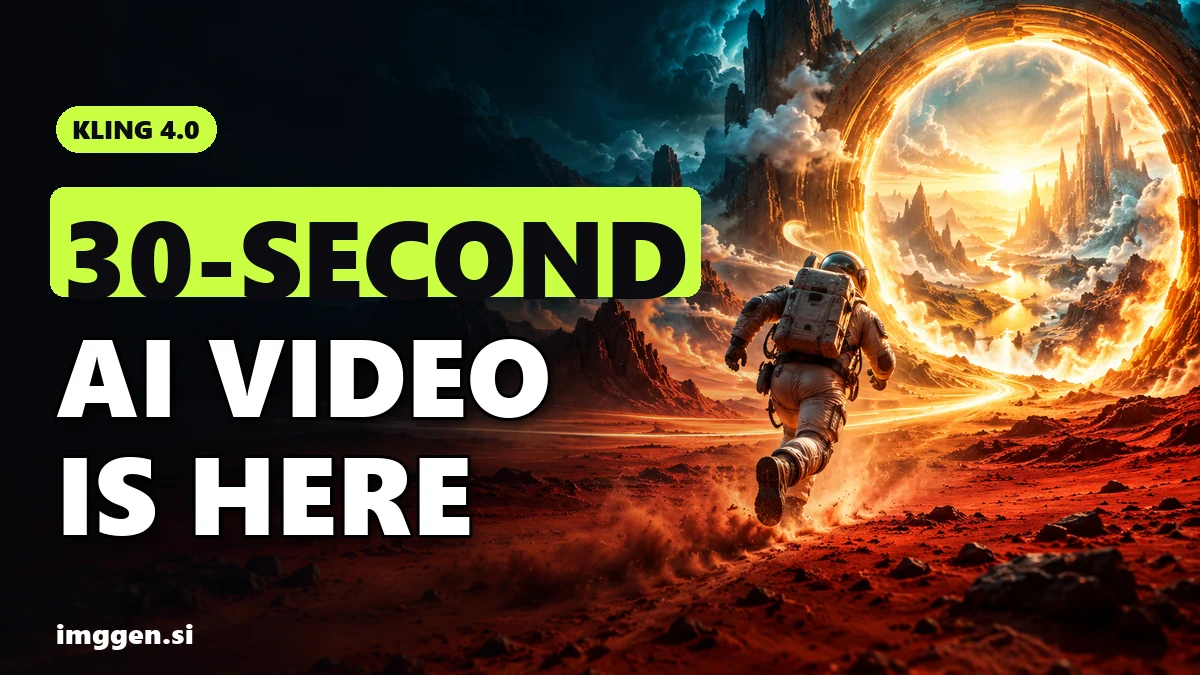
Kling 4.0 is Kling AI's newest video model. Kuaishou says it officially launched on October 15, 2026, and Kling's global press release followed on October 16. The headline upgrade: a single generation can now run up to 30 seconds, double the 15-second ceiling of Kling 3.0. It also adds up to 10 keyframes, up to 15 reference files (images, video and audio), two-channel stereo sound and prompts of up to 8,000 tokens. You can use it on Kling's own website and, since October 20, on Higgsfield. ImagineArt lists the lighter Kling 4.0 Flash as live and the full model as rolling out.
For you as a creator, that means a full Reel, Short or product ad can come out of one take instead of six stitched 5-second clips, with fewer seams where lighting, faces or motion can jump. Below: what changed compared with 3.0, what a clip really costs in credits, a step-by-step workflow with a copy-paste prompt, and the limits the launch trailer leaves out.
What is Kling 4.0 and when was it released?
Kling is the AI video platform from Kuaishou, the Chinese short-video company. According to Kling's press release, the platform has more than 100 million users and more than 50,000 enterprise customers. Version 4.0 rolled out in stages:
- Late September 2026: a lighter Kling 4.0 Flash opened in early access to a small group of Kling subscribers. fal.ai's spec summary lists Flash at 3 to 20 seconds, 720p only, in 8-bit SDR.
- October 15, 2026: the full Kling 4.0 officially launched on the Kling AI website, followed by a global press release on October 16.
- October 20, 2026: Higgsfield published its Kling 4.0 guide and added the model to its Create Video tool.
Kling's press release groups the upgrade into three areas: steadier motion and complex camera moves (push-ins, pull-outs, pans, tracking and orbit shots), native 30-second generation, and finer control through up to 15 reference assets and 10 keyframes. It also lists speech in English, Japanese, Korean, Spanish, Portuguese, German, French, Hindi and more, with American, British and Indian English accents. Reference videos can include simple white-model or depth-map clips to guide the performance, the action and the camera.
Not everything is live yet. The same release marks 10-bit HDR at 4K and 1080p, the 21:9 ultrawide format, developer API access and availability in Adobe Firefly as coming soon. Plan your work around what you can render today, not around the trailer.
Kling 4.0 vs Kling 3.0: what actually changed?
Here is the side-by-side, based on Higgsfield's comparison of the two versions:
| Feature | Kling 3.0 | Kling 4.0 |
|---|---|---|
| Length per generation | 3 to 15 seconds | 3 to 30 seconds |
| Keyframes | First and last frame | Up to 10 across the clip |
| References | Up to 7 | Up to 15 combined (max 10 images, 5 videos totalling 30 seconds) |
| Stereo audio | No | Yes, two channels |
| Prompt length | Not specified | Up to 8,000 tokens |
| 21:9 ultrawide | No | Listed (Kling still calls it coming soon) |
| Text-to-video and image-to-video | Yes | Yes |
The bigger change is the keyframes, more than the extra 15 seconds. With 3.0 you could pin the start and the end, and everything in between was up to the model. With 4.0 you can pin up to ten moments, so a 30-second clip can follow a script (hook, demo, reaction, payoff) instead of wandering off after second eight.
If you have been stitching 5- to 10-second clips together in an editor and fighting faces that change between cuts, this is the upgrade that matters. The easiest way to try it next to the models you already use is Higgsfield, where Kling 4.0 sits in the same Create Video menu as the Seedance, Veo and Sora families, and where Soul ID keeps one character's face consistent across images and videos.
How much does Kling 4.0 cost per clip?
On Higgsfield, Kling 4.0 is paid in credits, and the exact cost appears on the Generate button before you render. Higgsfield's launch guide lists these rates:
| Resolution | 5-second clip | 30-second clip |
|---|---|---|
| 720p | 25 credits | 150 credits |
| 1080p | 37.5 credits | 225 credits |
Higgsfield says its own dollar estimates (about $1.23 for 5 seconds at 720p, up to about $11.03 for 30 seconds at 1080p) assume the Plus plan at $49 per month for 1,000 credits. Plans and promotions change, so check the current price on Higgsfield before you set a budget.
The number that matters more is cost per usable clip. Every AI video model produces takes you will throw away, and a 30-second take you reject costs six times as much as a 5-second one. Three habits keep the bill down:
- Test the idea at 720p and 5 seconds (25 credits) until the motion and framing look right.
- Extend to the full duration at 720p once the opening works.
- Render the final at 1080p only when you know you will publish it.
You can also buy access directly on Kling's website. Compare its current plans with what you already pay for elsewhere before you add a second subscription.
How to use Kling 4.0, step by step
These steps follow Higgsfield's interface (Video, then Create Video, then Kling 4.0 under Model), but the logic carries over to any platform that hosts the model.
1. Write the 30 seconds as beats before you open the tool
Thirty seconds is enough for a hook, a middle and a payoff. Write three to five beats, one line each: what we see, what moves, what we hear. If a beat needs a hard cut to a new location, consider making it a separate clip, because a long single take is easier to keep consistent when the scene stays in one place.
2. Make your keyframe stills
Generate one still per beat with an image model (Higgsfield also runs the Nano Banana family). Keep the same character, wardrobe, lighting and lens description in every prompt so the frames belong together. Our free prompt studio builds these briefs with the camera, lighting and palette fields filled in.
3. Pick the right mode
- Frames: first and last frame, or up to 10 keyframes. Best for scripted ads and story beats.
- References: up to 15 combined images, videos, voice references and Elements. Best for a recurring character or product that must look the same every time.
- Edit video: start from an existing clip (up to 5 inputs, 30 seconds combined) and describe the change: a new product, background, camera angle or style.
4. Write the prompt: action and camera, not adjectives
Higgsfield's advice is to let the keyframes fix the key moments and use the prompt to describe the action and camera movement between them. Here is a structure that works for a vertical product ad:
Vertical 9:16, 30 seconds, handheld phone look. Beat 1: a hand lifts a frosted serum bottle from a marble sink in soft morning window light, slow push-in. Beat 2: the woman turns to camera and speaks in English: "Three drops. That's the whole routine." Beat 3: close-up as water beads run down the glass, gentle orbit to the left. Beat 4: the bottle rests on the counter while focus pulls from the bottle to the window. Audio: quiet bathroom room tone, running tap, her voice in the centre. No cuts, no on-screen text.
5. Set duration, resolution and aspect ratio
Choose 3 to 30 seconds, 720p or 1080p, and Auto, 16:9, 9:16 or 1:1. Higgsfield also lists 21:9, which Kling's release still calls coming soon, so check the menu in the app you use. For TikTok, Reels and Shorts, use 9:16.
6. Change one thing per retake
If the result is off, change only the prompt, or only one reference, or only the duration, and then compare. Change three things at once and you won't know what fixed (or broke) the clip.
What should creators make with Kling 4.0?
The 30-second length and multi-keyframe control suit formats that hold attention on social platforms and show up in client briefs:
- UGC-style product ads. One continuous 20 to 30 second take with a hook, a demo and a payoff. Start from clean product stills; our AI product photos guide shows how to make them.
- AI influencer videos. Load your character's reference images (and a voice reference) so the same face shows up across a week of posts. Start from the character brief below, then read how to make money with an AI influencer.
- Music videos and mood pieces. The push-ins, pull-outs, pans, tracking and orbit shots Kling highlights are the camera vocabulary of music videos.
- Multilingual ads. Make the same spot with dialogue in English, Spanish, German or Hindi for different markets.
- Reworking footage you own. Higgsfield's guide describes Creative Recreation (reuse an existing clip's tempo and motion) and Video Editing (change a character, product, background, angle or style).
 Your AI Influencer prompt
An original virtual influencer, a confident woman in her mid-twenties with a copper-auburn bob, light freckles and small gold hoops, wearing an oversized sage linen shirt, relaxing on a terracotta rooftop terrace above a hillside coastal city and holding an iced matcha, caught mid-smile as if a friend just took the shot. · Photorealistic 35mm Film Frame · Camera: Full-frame mirrorless, 35mm prime at f/1.8, 1/500s, ISO 100, slight handheld tilt for a candid feed look · Lighting: Setting sun as warm key from behind-left, soft bounce from white walls filling the face, gentle lens flare at frame edge · consistent character sheet ready, same face across shots, natural skin texture with pores, subtle Portra 400 grain, lifestyle Instagram aesthetic, shallow depth of field, authentic candid pose --ar 4:5 --no plastic skin, airbrushed, extra fingers, distorted hands, celebrity likeness, brand logos, text, watermark, oversaturated, revealing clothingCustomise it in the free studio
If you want to turn these skills into paid work, our guide to AI side hustles for 2026 walks through seven options with the exact tools for each.
Where can you use Kling 4.0?
| Platform | What is available | Good to know |
|---|---|---|
| Kling AI website | Full Kling 4.0 | The model's own home; Kling says 4.0 is fully available there now |
| Higgsfield | Kling 4.0, 3 to 30 seconds, 720p or 1080p | Live since October 20; sits next to the Seedance, Veo, Sora and Nano Banana families; credit cost is shown before you generate |
| ImagineArt | Kling 4.0 Flash live, full model rolling out | Flash makes up to 20 seconds at 720p in 8-bit SDR; ImagineArt says your first video is free with no card required |
| fal.ai | Kling 4.0 page; API listed as coming soon | For developers who want to build it into an app; fal says endpoints and pricing go on its model page |
| Adobe Firefly | Coming soon | Announced in Kling's press release |
Which one fits depends on the rest of your workflow. If you already generate images and use other video models, a multi-model app saves you from juggling accounts and lets you compare the same idea across Kling, Seedance and Veo. Higgsfield is the stronger fit when one consistent character matters most. ImagineArt suits creators who want image generation, editing, upscaling and image-to-video in one dashboard and are happy to start with Flash while the full model rolls out.
Reality check before you spend credits
- Every spec in this article comes from Kling and the platforms that host the model. Independent tests of 30-second clips are still scarce a week after launch, so judge Kling 4.0 on your own test renders.
- A longer clip gives the model more time to drift. Hands, text and faces can still go wrong at second 25 even when second 5 looked perfect, so plan for retakes.
- HDR output, Kling's own 21:9 support, the developer API and Firefly access are not live yet.
- A better model does not bring an audience or clients on its own. Most beginners who post AI video or sell AI ads earn little or nothing at first; a clear niche, steady posting and real client work are what move the numbers.
Is Kling 4.0 worth it?
Try it now if you make ads, music videos or short stories where 30 continuous seconds and keyframe control replace hours of editing, or if you run an AI character who needs to look the same in every clip.
Wait or stay put if you mainly deliver 4K HDR footage, need API access for an app, or are happy with 5 to 10 second clips from a model you already pay for. HDR and the API are on Kling's coming-soon list, so the picture may change within weeks.
The cheapest way to decide: take one real idea, render a 5-second 720p test in Kling 4.0 and in the model you use today, and compare them side by side. If Kling wins, build the full 30 seconds. To compare it with other tools, our AI tool directory lists the alternatives by use case. Higgsfield's referral offer through our link is up to 50% off and lasts three hours after you arrive, so open it when you are ready to subscribe, not before.
FAQ
When was Kling 4.0 released?
Kuaishou says Kling 4.0 officially launched on October 15, 2026, with a global press release on October 16. A lighter Kling 4.0 Flash had been in early access since late September.
How long can a Kling 4.0 video be?
3 to 30 seconds per generation, double the 15-second limit of Kling 3.0. Kling also describes extending uploaded videos up to two minutes, but some platforms still list extension as coming soon.
Is Kling 4.0 free?
Not unlimited. On Higgsfield it costs credits, starting at 25 credits for a 5-second 720p clip. ImagineArt says your first video is free with no card required; check which model that covers.
Does Kling 4.0 support 4K?
Kling's published specs list 4K, and 10-bit HDR at 4K and 1080p is marked coming soon. On Higgsfield you currently choose 720p or 1080p.
Is Kling 4.0 available on Higgsfield?
Yes. Since October 20, 2026 you can pick it under Video, Create Video, Model: Kling 4.0, with clips from 3 to 30 seconds at 720p or 1080p.
What is the difference between Kling 4.0 and Kling 4.0 Flash?
Flash is the lighter version: up to 20 seconds, 720p only, in 8-bit SDR. The full model goes to 30 seconds at higher resolution, with up to 10 keyframes and 15 references.