Some links below are affiliate links. If you buy through them we may earn a commission at no extra cost to you. We only list tools we would use ourselves. How we make money.
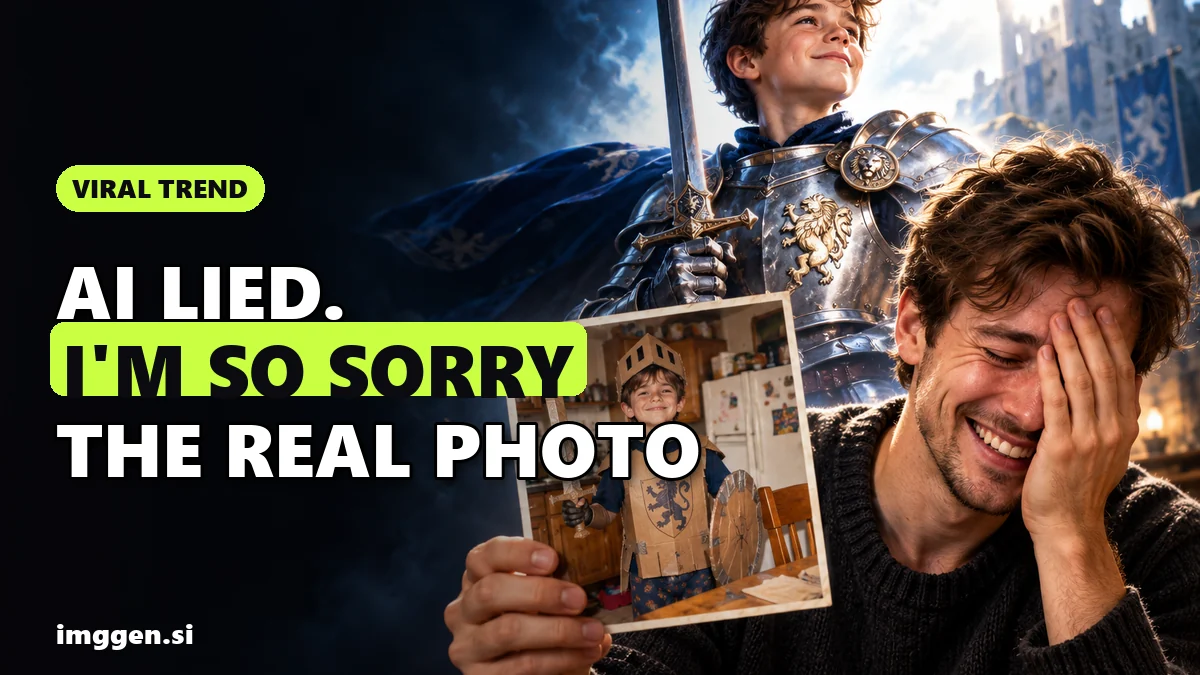
The "I'm so sorry" AI trend is a TikTok and Instagram slideshow where the first photo is a glossy AI edit and every slide after it "confesses" one lie, until the last slide shows the real, unedited photo. The caption on each slide owns up to one edit ("Sorry I lied, my face was green"), and the final apology, usually some version of "I'm so sorry", lands on the original. It works because the punchline is reality: the gap-toothed school portrait, the homemade costume, the tired post-birth selfie.
To do the I'm so sorry trend yourself you need three things: one real photo with a story, an AI photo editor that can change one thing at a time, and a slideshow or short video in reverse order. The trick most people miss is that you build the edits forwards, starting from the original, and post them backwards. Below is the exact workflow, slide and caption ideas, and an honest look at labeling and the "AI slop" backlash.
What is the "I'm so sorry" AI trend?
Yahoo Life reporter Kerry Justich described it on 27 October 2026 as users giving a personal photo a polished AI makeover, then retracting the edits one by one until the unedited original appears as the punchline. She reports that many of these posts have reached tens of millions of views over the last week, and that people have used the format on school portraits, baby photos and postpartum pictures, not just costumes.
One example in that piece comes from TikTok user Gracelynn Figueroa (@3gracie32): a polished Halloween photo of a little girl as a witch, then slides captioned "Sorry I lied my face was green" and "Sorry I lied again my dress was black", ending on the real homemade costume with green face paint and "I'm so freaking sorry."
Know Your Meme traces the format back further. Its entry says the earliest known version was posted by TikToker @theywanthunter on 22 August 2026 and reached over 25.6 million views in two months, and that the trend was further popularized in October 2026, with many of the biggest posts built on childhood Halloween costume photos. Bored Panda's 24 October round-up says the same: it emerged in August and exploded in October.
You will also see it called the "sorry I lied" trend or the "perdón" trend. Same format, same punchline.
Why is the "I'm so sorry" trend going viral?
Most AI photo trends sell perfection. This one flips it. Paromita Pain, an associate professor of global media at the University of Nevada, Reno, told Yahoo that "People are using AI to make fun of AI itself." Jamie Cohen, an associate professor of media studies at CUNY Queens College, said the trend is funny "because of its endearing and anti-platform aesthetics."
In practice that gives the format three built-in advantages:
- A swipe hook. Each slide promises another confession, so people keep swiping to the end.
- Comments write themselves. Viewers argue that the original is better, which is exactly what happened under Melissa Connelly's postpartum post, according to Yahoo.
- Anyone has the raw material. You don't need a camera or a niche, just an old photo with personality.
Not everyone is a fan. Yahoo notes that some critics on X called it "AI slop" and said they would rather not see bot-generated images at all. That criticism is worth taking seriously, and it shapes how you should make yours (more on that below).
How to do the I'm so sorry trend, step by step
The whole post is a chain of small, believable edits. If the first slide is changed too much in one jump, there is nothing to confess slide by slide and the joke falls flat. Plan for 4 to 7 slides.
1. Pick the right original photo
The funnier and more honest the original, the better the payoff. Good picks: a homemade Halloween costume, a school portrait with a bad haircut, a toddler tantrum, a home DIY job, a pet mid-sneeze. Use a photo of yourself or one you have permission to post. Avoid photos of other people's children or anyone who would not want a glamorised AI version of themselves online.
2. Write your list of lies first
Before opening any tool, list the 3 to 6 things you will "fix", from the most obvious to the most subtle. For a costume photo that might be: real fabric instead of a bin bag, a clean background instead of a messy kitchen, a styled wig, smooth make-up, better lighting, a confident pose. Each item becomes one slide and one caption.
3. Make the edits forwards, one change per step
Start from the original and apply the first fix only. Save that version. Apply the second fix on top of that result and save again. Keep going until you have the full glossy version. This forward chain is what makes the reveal look consistent: every slide is the previous one minus one edit.
A photo editor with separate one-click AI tools fits this step well. Fotor's site lists an AI Photo Enhancer, Retouch Photo, AI Object Remover, Change Background, AI Change Clothes and an AI Hairstyle Changer, so each "lie" can be its own tool, on the web or in its iOS and Android apps.
4. Use prompt edits for the bigger lies
Some lies need more than a preset, for example turning a cardboard helmet into a real Roman one. That is where prompt-based editors help. getimg.ai's Image Editor describes clothing swaps, object and people removal, background replacement, inpainting and upscaling, with models including Nano Banana, FLUX, Seedream and GPT Image. Its guide to Text Editing explains that you upload an image and type the change you want.
Keep each prompt to one change and say what must stay the same. For example:
Replace the cardboard helmet with a polished bronze Roman legionary helmet with a red crest. Keep the child's face, expression, pose, clothing and the kitchen background exactly the same.Replace the messy kitchen background with a softly lit photo studio backdrop. Do not change the person, the costume or the lighting on the face.Faces can drift between generations, so compare every version with the original before you save it. If the face changes, regenerate or use a smaller inpaint area. Our guide to keeping the same face in every AI image covers more fixes.
5. Export every step and number the files
Name the files in posting order, not editing order: 01-full-lie.jpg is your most edited version and the highest number is the original. Export them all at the same size and crop, ideally 9:16 or 4:5, so the slideshow does not jump around.
6. Assemble the reveal
- TikTok photo slideshow: upload the images in order and put each confession as text on the slide. This is the format Know Your Meme documents for the trend.
- Instagram carousel: same order, confession text on each image, with the last line ("I'm so sorry") on the original.
- Short video: if you prefer Reels or Shorts, put the stills on a timeline with quick cuts. ImagineArt lists image-to-video with Kling, Seedance and Veo, so you can turn the glossy first slide into a short moving shot before the cuts start, then stay on stills for the reveal.
Which AI photo editor is best for the I'm so sorry trend?
This comparison is research from each partner's official pages, not a lab test. Check the current price and plan limits on each site before you pay.
| Tool | Best step | Listed features that fit the trend | Watch out for |
|---|---|---|---|
| Fotor | Small lies: skin, light, clutter, background | AI Photo Enhancer, Retouch Photo, AI Object Remover, Change Background, AI Change Clothes; web plus iOS and Android apps | Preset tools give you less control over big creative changes |
| getimg.ai | Big lies by prompt | Image Editor with inpainting, clothing swap, background replace, upscaling; Nano Banana, FLUX, Seedream, GPT Image | Paid credit plans; check what each edit costs in credits |
| ImagineArt | Editing plus a video version | Inpaint brush, Upscale, AI Image Editor, image-to-video with Kling, Seedance, Veo; free plan to start | Free plan limits are not listed on the homepage |
Want to compare more options? Browse the tool directory, or draft your edit prompts in the free prompt studio first.
"I'm so sorry" caption and slide ideas
The captions carry the joke, so keep them short and escalate. A simple pattern that matches the posts in the coverage:
- Slide 1, the full AI version: a straight caption, as if it is real ("Halloween 2009, nailed it").
- Slides 2 to 5: "Ok sorry I lied, the helmet was cardboard", "Sorry I lied again, we were in the kitchen", "Sorry, there was no make-up".
- Last slide, the original: "I'm so sorry."
Ideas that suit the format beyond Halloween: your first school photo, your first car, a DIY renovation, your first cake for a customer, a pet "photo shoot", your home office. Creators who sell something can use it too: a small business could show a "studio" product shot, then confess back to the kitchen-table original. If that is you, our guide to AI product photos that sell covers the honest version of that glossy first slide. For more seasonal ideas, see this year's AI Halloween photo trends.
Do you have to label it as AI on TikTok?
TikTok's policy, as announced in its newsroom, requires people to label AI-generated content that contains realistic images, audio or video, and creators can do that with TikTok's AI-generated label or another disclosure like a sticker or caption. Your reveal technically confesses the edits, but the first slide is a realistic AI image, so the safest move is to switch the AI-generated label on as well. It costs you nothing, and the whole joke is that you are open about the editing.
That openness is also your answer to the "AI slop" criticism. The posts that get love are the ones where the original is the star. If the AI version is the point and the real photo is an afterthought, you are making exactly the content critics are tired of.
Reality check. The view counts above are reported by Yahoo and Know Your Meme for specific viral posts. Most posts in any trend get a small audience, and trends move fast: a format that peaked in late October may feel stale within weeks. Expect to spend 30 to 60 minutes on your first one while you learn how much each edit changes the face. AI edits can still produce odd hands, warped text or a slightly different person; check every slide. And no tool can make an unfunny original funny. The photo and the confessions do the work; the AI only sets up the joke.
Common mistakes that kill the reveal
- One giant edit. If you generate the glossy version in one prompt, the in-between slides will not match. Edit in steps.
- A different face. If the AI version no longer looks like the person in the original, the reveal reads as a swap, not a confession.
- Inconsistent crops. Export every step at the same size so the slides line up.
- Too many slides. Past 6 or 7 confessions people stop swiping. Cut the weakest lies.
- Posting someone else without asking. Siblings, partners and kids in old photos deserve a say before their glow-up goes public.
If the format works for you, the same skill (small, controlled AI edits) carries over to other paid work. Our round-up of AI side hustles shows where photo editing fits, with realistic expectations.
FAQ
What is the I'm so sorry trend on TikTok?
A photo slideshow that starts with a polished AI-edited picture and confesses one edit per slide, ending on the unedited original with an "I'm so sorry" caption.
When did the I'm so sorry trend start?
Know Your Meme dates the earliest known version to 22 August 2026; it took off in October 2026, mostly with childhood Halloween costume photos.
What app do people use for the I'm so sorry trend?
There is no single official app. Any AI photo editor that can make one change at a time works, and the slides are posted as a TikTok photo slideshow or Instagram carousel.
How many slides should an I'm so sorry post have?
Usually 4 to 7: one full AI version, a few confession slides that each undo one edit, and the original at the end.
Do I need to label an I'm so sorry post as AI?
TikTok requires labels on realistic AI-generated images, so turn on the AI-generated label or disclose it in the caption, even though the reveal shows the original.
Sources
- AOL / Yahoo Life: Using AI to make fun of AI, the viral "I'm so sorry" trend (Kerry Justich, 27 Oct 2026)
- Know Your Meme: I'm So Sorry Trend
- Bored Panda: "I'm So Sorry" TikTok trend, best examples (24 Oct 2026)
- TikTok Newsroom: New labels for disclosing AI-generated content
- Fotor: online photo editor and AI tools
- getimg.ai: AI Image Editor
- getimg.ai: Guide to using Text Editing in Image Editor
- ImagineArt: AI image and video generator